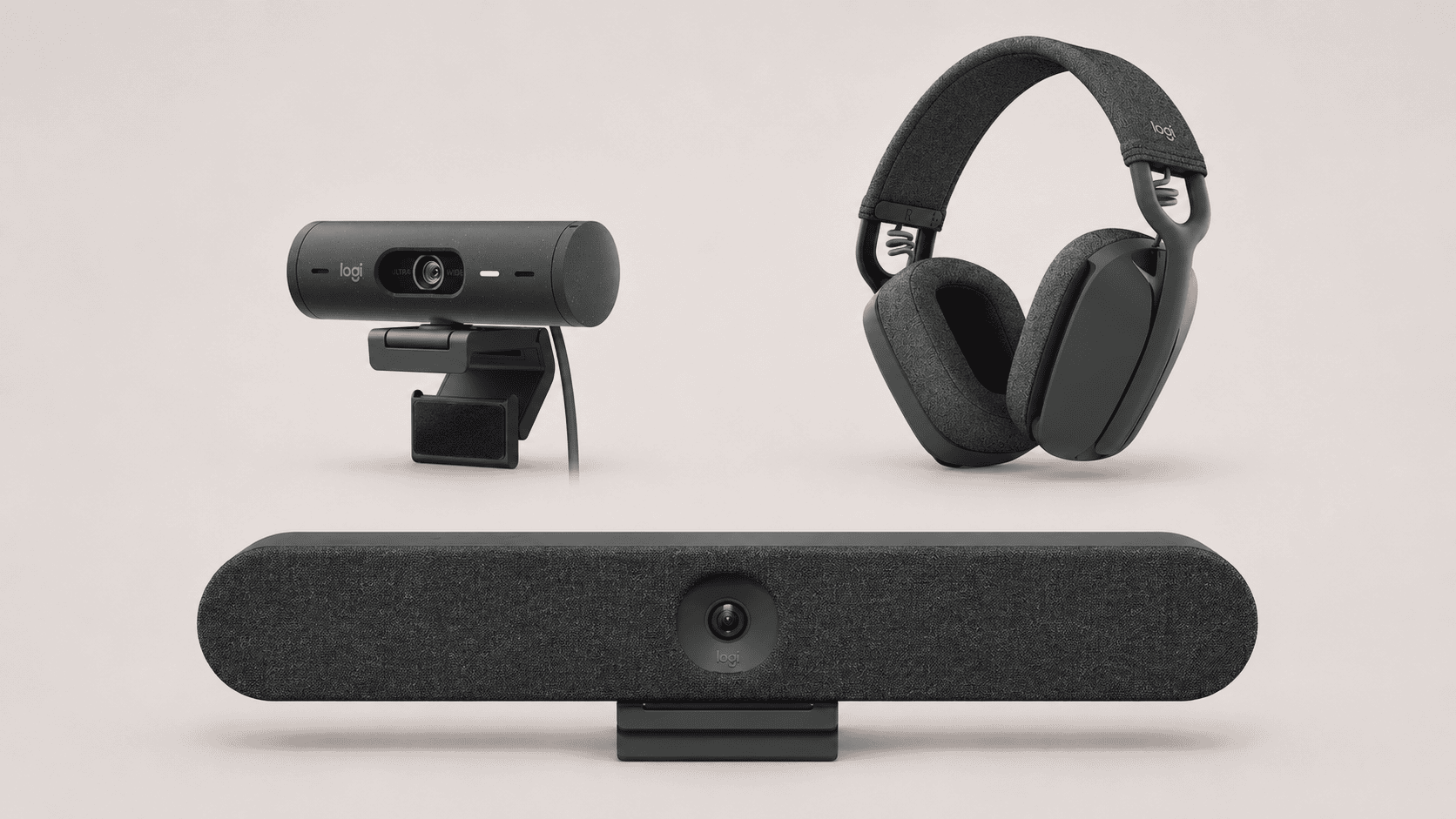
Logitech in South Africa: meeting rooms, webcams and business headsets
Logitech in South Africa: meeting rooms, webcams and business headsets
A meeting room earns its keep when people can start a call, share their work and follow the conversation without negotiating the equipment. At an individual desk, the priorities change: a useful camera angle, clear speech and a headset that remains comfortable through the working day.
Logitech covers both settings. Choosing between its products starts with the workplace and how meetings will run, then moves to the hardware.
This TechnologyBlog.co.za guide focuses on business meeting rooms, webcams and headsets. It draws on manufacturer documentation and South African distributor listings. It is editorial buying guidance rather than a comparative product review; quotations, installation and purchases are handled by suppliers and their sales partners.
Choose by workplace
| Workplace | Start with | Establish before choosing |
|---|---|---|
| Individual desk or home office | Business webcam and suitable headset | Computer connections, lighting, calling application and wearing preference |
| Shared desks | Standardised personal devices | USB connections, user settings, hygiene and responsibility for accessories |
| Small meeting room | USB video bar or an appliance-based room system | Whether the meeting runs from a laptop, room computer or dedicated room account |
| Larger meeting room | A room system with appropriate camera and audio coverage | Table layout, acoustics, microphone placement, displays and installation requirements |
The distinction between personal and shared equipment matters. A webcam designed to frame one employee should not be expected to cover a long boardroom table. Equally, an individual working from home may gain more from a well-positioned webcam and headset than from equipment intended for a room.
Meeting-room systems: decide how the call starts
Before comparing camera specifications, decide who—or what—will run the meeting.
In a laptop-led room, an employee connects their computer and uses its meeting application. A room with a dedicated computer keeps that computing equipment installed. An appliance-based room runs a supported meeting platform on the room device itself.
Those arrangements affect cabling, accounts, controllers, support and the experience of visiting presenters.
Small rooms: MeetUp 2 and Rally Bar Huddle
MeetUp 2 combines a camera, microphones and speaker for small rooms. It connects to a laptop or room computer; it should not be specified as a standalone meeting appliance.
Logitech offers an optional Active USB Cable for supported single-cable BYOD arrangements. That accessory and the required laptop capabilities need checking before a proposal promises a one-cable experience.
Our Logitech MeetUp 2 guide explains its deployment options in more detail.
Rally Bar Huddle offers another route for small spaces. Logitech documents appliance, room-PC and laptop-connected operation. The appropriate configuration depends on the meeting platform and the intended way of using the room.
Both products warrant a demonstration in the proposed environment. Test the furthest seat, a person speaking quietly and the content-sharing process a visitor will actually use.
Larger rooms: design the camera and audio together
Logitech’s broader room portfolio includes Rally Bar Mini, Rally Bar and modular Rally configurations. These are starting points for a design discussion rather than interchangeable packages.
A room with a long table, movable seating or challenging acoustics needs more than a camera selected by participant count. Ask the installer to show how the proposed equipment covers every seat, which microphones are supported and where each component will be installed.
Kathea also lists Logitech GROUP, the product referenced in this page’s brief. Its presence in the catalogue establishes an enquiry route, not current stock or suitability for every new installation. If it appears in a proposal, ask about continuing software support, spare parts and the alternatives being considered.
The purchase should describe a working room, including the display, compute where required, controller, mounts and cabling.
Personal devices: webcams and business headsets
At a desk, placement and connection choices often determine whether a device is useful.
Webcams: look beyond resolution
The Brio 505 is one example of Logitech’s business webcam range listed by Kathea. Logitech specifies Full HD 1080p video, USB-C connectivity, an integrated privacy shutter, light correction and automatic framing.
For an employee, the practical checks are straightforward: does the computer have the required connection, can the camera sit at a sensible height, and does its framing suit the workspace?
Lighting still deserves attention. A bright window behind the employee creates a different problem from a dim office. Test the actual desk arrangement before standardising a webcam across a team.
Headsets: match the connection to the working day
Kathea’s Logitech catalogue includes wired headsets and wireless products such as Zone Vibe Wireless.
A wired connection may suit a fixed workstation. Wireless equipment is worth assessing where employees regularly switch between computer and mobile calls or need some movement during conversations.
Specify the exact edition. Logitech lists Zone Vibe Wireless variants with a USB receiver and a native Bluetooth version, with different requirements for some certified functions.
Also distinguish microphone noise reduction from active noise cancellation for the wearer. They address different parts of the listening and speaking experience.
For another business-headset example, our Zone Wireless 2 ES explainer examines that separate product.
Before a larger order, let representative users try the proposed headset. Include people with different wearing preferences and check mute controls, speech pickup, computer compatibility and replacement accessories.
Microsoft Teams and Zoom: specify the configuration
Logitech publishes solutions for Microsoft Teams and Zoom across personal workspaces and shared rooms. Compatibility needs checking against the exact device and deployment.
A webcam used by the Teams application on a laptop is a different purchase from a dedicated Teams Rooms system. Likewise, connecting room peripherals to a laptop running Zoom is different from installing Zoom Rooms.
A useful proposal should identify:
- The platform and operating mode: Laptop, dedicated computer or appliance.
- The complete hardware: Camera or bar, microphones, controller, compute and accessories.
- Accounts and licensing: What is required, what is included and who administers it.
- Supported functions: Content sharing, guest meetings, camera behaviour and device management.
- Software responsibilities: Who maintains firmware and checks compatibility after updates.
Logitech Sync provides management functions for supported devices. Some additional capabilities require paid service plans. Ask which functions the proposal includes and whether the offered support service is available locally.
Certification is useful evidence. It does not replace checking the complete room configuration.
Kathea Communications is a South African value-added distributor specialising in voice, audio visual, video conferencing, unified communications, workspace management, and collaboration technology solutions. Working with leading global technology brands, Kathea helps businesses modernise the way they communicate, meet, and work by delivering practical solutions for boardrooms, meeting spaces, hybrid work environments, contact centres, and enterprise collaboration. With a strong focus on technical expertise, partner support, and real-world business outcomes, Kathea continues to play an important role in connecting South African organisations with the technologies shaping the future of work.


Ben Liebenberg is the Chief Technology Officer at Kathea Communications and a respected South African technology leader with expertise across cybersecurity, artificial intelligence, digital transformation, AV, unified communications, networking, hybrid work and product evaluation. As a hands-on product reviewer and active voice in the technology community, Ben brings a practical, real-world perspective to the platforms, devices and innovations shaping modern business. For more information, expert insight, product guidance or collaboration opportunities, readers can connect with Ben on LinkedIn or reach out through Kathea’s official contact channels.


