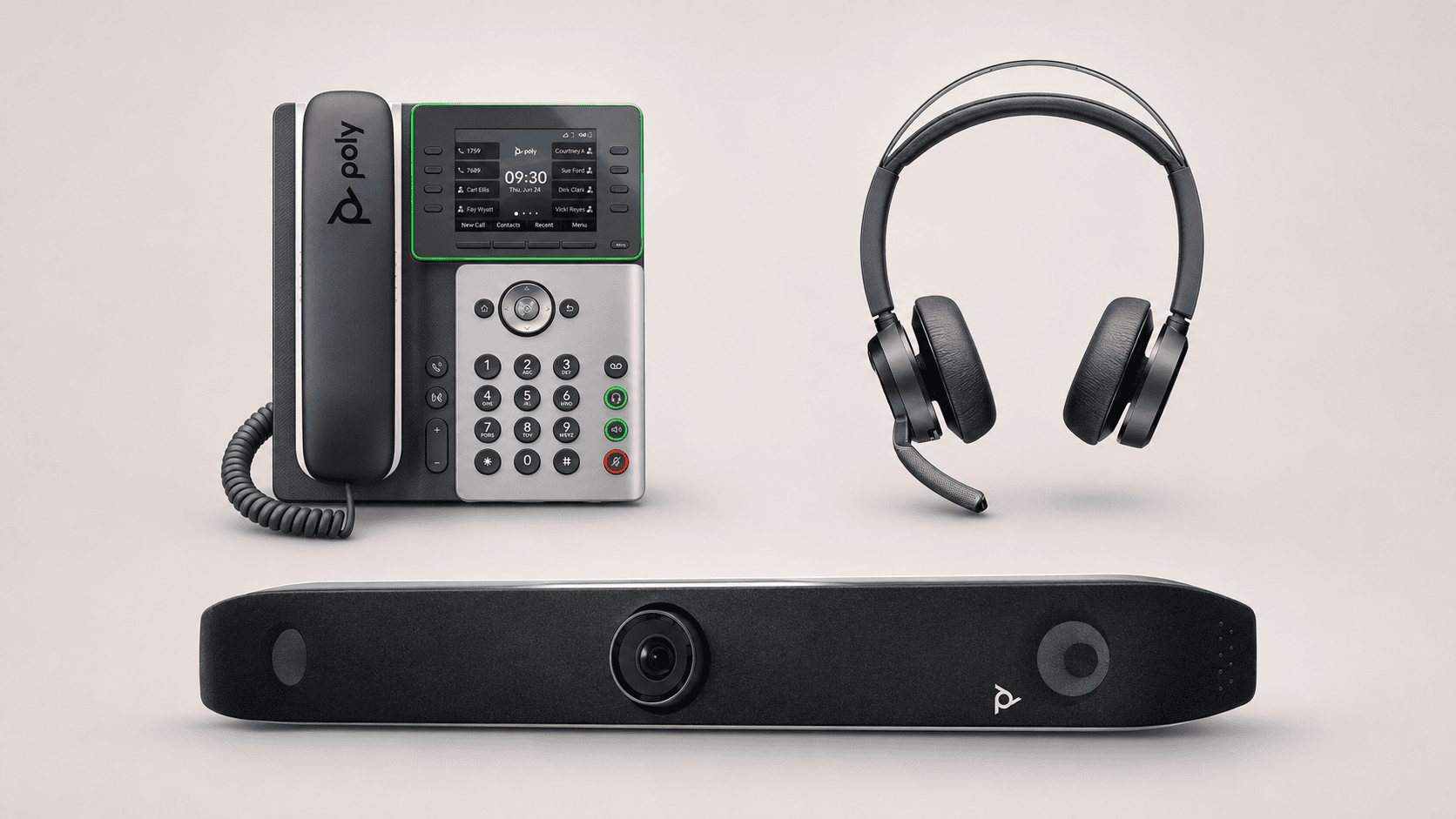
HP Poly in South Africa: headsets, phones and meeting room systems
HP Poly’s range stretches from the headset an employee wears throughout the day to the equipment running a boardroom. Choosing well means understanding how those devices fit the work: answering customer calls, moving between computer and mobile conversations, or bringing remote colleagues into a shared room.
The connections, software and support behind each purchase matter as much as the device itself.
This TechnologyBlog.co.za guide covers business headsets, phones, speakerphones and video equipment. It combines manufacturer documentation with South African distributor information to help readers build a shortlist and request a complete quotation. It is editorial buying guidance, rather than a comparative hands-on review.
Start with a workplace and a task
| Workplace or task | Start with | Establish before choosing |
|---|---|---|
| Calls at a fixed workstation | Wired headset or suitable desk phone | Computer or telephone connection, calling platform and required controls |
| Work split between computer and mobile | Bluetooth headset | Exact bundle, computer adapter, supported call controls and charging arrangements |
| Movement around an office | DECT headset system or cordless telephone | Base connections, building coverage and compatibility |
| Shared audio meetings | Speakerphone or IP conference phone | Whether calls run through a computer, mobile device or telephone service |
| Hybrid meeting room | USB video equipment, room appliance or PC-based system | Room layout, platform, account, controller, microphones and installation |
These choices can coexist within one business. Reception may need a desk phone and headset, while employees using softphones may need only a headset. A meeting room introduces shared equipment, accounts and support responsibilities.
Six product ranges to compare
The following six groups provide useful routes through HP Poly’s portfolio. Model examples establish what to investigate; local stock, lifecycle and bundle contents require confirmation.
| Range | Main role | Representative examples | Deciding question |
|---|---|---|---|
| Blackwire | Wired personal audio | Blackwire 3220, 3320, 5200 and 8225 | Which connection, wearing style and noise-control features does the user need? |
| Voyager | Bluetooth headsets and earbuds | Voyager Focus 2 and Voyager 4300 UC | How will the headset connect to the employee’s computer and mobile phone? |
| Savi | DECT wireless headset systems | Savi 7300, 7400 and 8400 families | Which base or UC configuration supports the required devices and workspace? |
| Sync | USB and Bluetooth speakerphones | Sync 10, 20, 40 and 60 | Is the device serving one person, a huddle space or a shared room? |
| Business phones | Desk, cordless and conference calling | Edge E, Rove and Trio families | Which exact device and software configuration does the telephone provider support? |
| Studio video | Personal video, USB room equipment and dedicated room systems | Studio personal devices, V-series USB bars and X-series appliances | Where will the meeting application run, and what must the room package include? |
Blackwire: a wired connection for the workstation
Blackwire headsets are worth considering where employees spend much of the day at a computer and a cable suits the workspace.
Within the 5200 family, HP distinguishes the single-ear Blackwire 5210 from the stereo 5220. Connection options and adapters should be checked against the exact part number.
Noise-control features also vary across the family. Microphone noise reduction addresses what callers hear; active noise cancellation addresses sound reaching the wearer. Specify the required function rather than assuming every Blackwire offers both.
Voyager: computer and mobile calling
Voyager covers Bluetooth products with different wearing styles and connection arrangements. A mobile-focused headset and a stereo office headset answer different needs.
The Voyager Focus 2, listed by both HP and Kathea, combines Bluetooth calling with hybrid active noise cancellation. Our Voyager Focus 2 guide examines its configuration choices.
Check the supplied computer adapter, charging accessories and platform edition. Test answering, muting and switching between the intended devices before standardising a fleet.
Savi: wireless calling around a workstation
Savi uses DECT wireless technology. Its Office and UC configurations need to be matched to the devices employees actually use.
For a desk-phone connection, ask the supplier to specify any required cable or call-control accessory. For computer calling, confirm the supported configuration and software.
Assess coverage in the building rather than relying on a maximum range figure. Walls, layout and the number of wireless users belong in the deployment discussion.
Sync: shared audio through a connected device
Sync speakerphones provide an alternative to wearing a headset, particularly in a private workspace or suitable shared meeting area.
HP positions the range across personal, huddle and small-to-medium room applications. The connection options differ: Sync 20 and Sync 20+, for example, have different computer-adapter arrangements.
A USB or Bluetooth speakerphone uses the connected device’s calling service. It does not, by itself, supply a business telephone number or replace an IP conference phone.
Business phones: specify the service first
HP Poly’s phone portfolio includes Edge E desk phones, Rove cordless systems and IP conference phones.
Begin with the telephone provider’s supported-device list. Transfers, extension monitoring, directories, provisioning and account requirements depend on the complete system.
Avoid treating a SIP device, a Teams phone and a conference speakerphone as equivalent purchases. Ask the provider to approve the exact model, firmware and operating configuration in writing.
Studio: separate USB equipment from room appliances
Studio spans several ways of delivering video.
A USB video bar, such as a Studio V-series device, works with computing equipment running the meeting. An X-series appliance, such as Studio X52, includes supported meeting applications and can offer a dedicated room experience.
Room size alone does not settle the choice. Table shape, camera placement, acoustics, displays and guest content sharing all affect the design.
Request a demonstration from the remote participant’s perspective. Include someone speaking from the furthest seat and test how a visitor joins or shares a presentation.
Microsoft Teams and Zoom: confirm the exact deployment
HP publishes Teams and Zoom solution guides, but a platform reference should lead to a configuration check.
A headset used with Teams on a laptop is different from a dedicated Teams Rooms installation. Likewise, a USB video device connected to a Zoom laptop is different from a Zoom Rooms system.
Have the supplier identify:
- The exact model, part number and platform edition.
- Current certification or supported compatibility for the proposed configuration.
- Required firmware, controllers, adapters and computing equipment.
- Accounts, licences and recurring subscriptions.
- Supported guest-meeting and content-sharing arrangements.
- Responsibility for updates and administration.
For businesses managing equipment across several locations, our Poly Lens and HP WXP explainer examines device-management considerations. Confirm support for the proposed devices and any associated licensing separately.
Kathea Communications is a South African value-added distributor specialising in voice, audio visual, video conferencing, unified communications, workspace management, and collaboration technology solutions. Working with leading global technology brands, Kathea helps businesses modernise the way they communicate, meet, and work by delivering practical solutions for boardrooms, meeting spaces, hybrid work environments, contact centres, and enterprise collaboration. With a strong focus on technical expertise, partner support, and real-world business outcomes, Kathea continues to play an important role in connecting South African organisations with the technologies shaping the future of work.


Ben Liebenberg is the Chief Technology Officer at Kathea Communications and a respected South African technology leader with expertise across cybersecurity, artificial intelligence, digital transformation, AV, unified communications, networking, hybrid work and product evaluation. As a hands-on product reviewer and active voice in the technology community, Ben brings a practical, real-world perspective to the platforms, devices and innovations shaping modern business. For more information, expert insight, product guidance or collaboration opportunities, readers can connect with Ben on LinkedIn or reach out through Kathea’s official contact channels.


