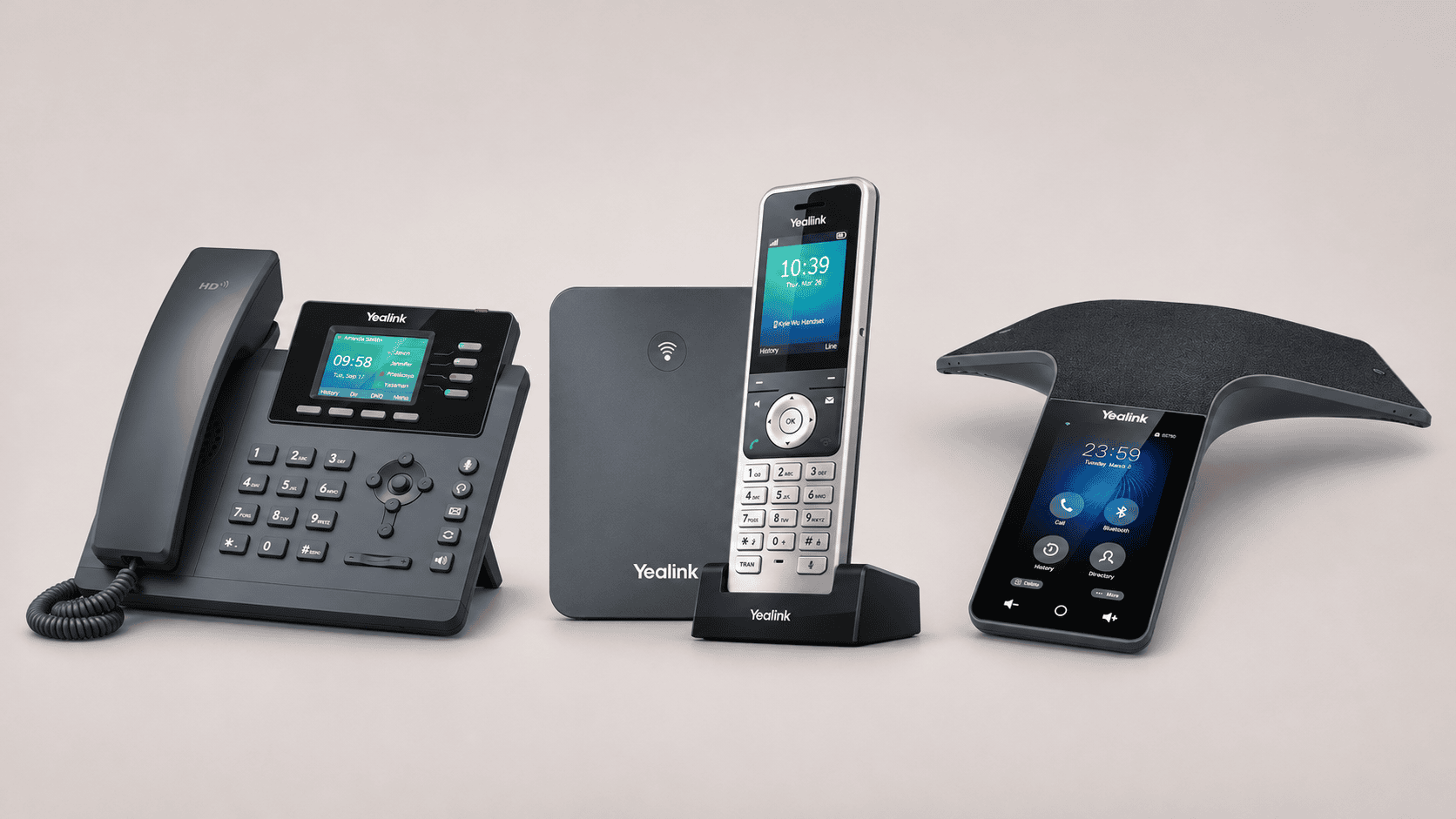
Yealink IP phones in South Africa
A receptionist needs to see who is available before transferring a caller. A warehouse supervisor needs to take calls away from a desk. Colleagues gathered around a meeting table need to hear—and be heard—without passing a handset between them.
Those requirements lead to different Yealink phones. The right shortlist starts with how the business handles calls, then checks whether the telephone platform, network and power arrangements can support it.
For meeting-room equipment, headsets and local buying guidance, see our Yealink South Africa guide.
Desk, cordless or conference phone?
| Phone type | Where it fits | What determines the choice |
|---|---|---|
| Desk phone | Reception, administration and other fixed workstations | Transfer controls, extension-status visibility, headset support and network connections |
| DECT cordless system | Staff moving between offices, counters and stock areas | Radio coverage, compatible handsets, base-station placement and charging arrangements |
| Conference phone | Several people sharing an audio call | Table layout, room acoustics, microphone coverage and the required calling platform |
A desk phone’s speakerphone can handle an occasional shared conversation. A dedicated conference phone is worth assessing when group calls become routine. It remains an audio device: a complete video room also needs suitable camera, display and meeting-system arrangements.
For a simpler fixed-desk option, our Yealink T31P guide explains the entry-level approach.
Check SIP and PBX compatibility first
The phone and the telephone service are separate purchases. A SIP handset ordinarily connects to a compatible hosted telephone platform or an on-site IP PBX; buying the hardware does not supply a business number, call allowance or external calling capacity.
Ask the service provider to approve the exact model and firmware before ordering. Then establish which functions it supports: transfers, extension monitoring, shared directories, voicemail, call queues and remote configuration.
Account capacity also needs careful reading. A phone supporting several SIP accounts does not automatically provide the same number of paid extensions or simultaneous external calls. Those depend on the service and its configuration.
Platform editions matter, too. The CP965 range includes separately documented SIP and Microsoft Teams versions. Do not assume that a familiar product name establishes compatibility with the system already installed.
Before a wider rollout, test one proposed device on the actual service. Reception should try answering, holding, transferring and retrieving calls using the intended configuration.
Network and power: plan the complete connection
Power over Ethernet can supply compatible phones through their network cable, reducing the need for individual mains adapters. The switch must support the required standard and have sufficient power available across all connected devices.
The distinction is material in this comparison: the T34W and T46U specify 802.3af PoE, while the CP965 specifies 802.3at PoE+. A switch described simply as “PoE” needs checking against the proposed equipment.
Wi-Fi changes the data connection; it does not remove the phone’s power requirement. Likewise, a cordless handset depends on its charged battery, while its DECT base still needs power and a network connection.
For a South African installation, assess continuity during a power interruption across the whole calling path: phones or base stations, switches, router, fibre ONT and any on-site PBX. Handset chargers need consideration as well.
Ask the installer to check cabling, network configuration and call quality under ordinary office traffic. If a computer will connect through a phone’s second Ethernet port, confirm that port’s speed against the workstation’s requirements.
Yealink model comparison
These examples illustrate different jobs within the range. They are not a ranking or a claim that each model is the newest option. Confirm current supply, firmware support and the supplier’s recommended alternatives before ordering.
| Model | Intended role | Documented features | Network and power | Important buying check |
|---|---|---|---|---|
| SIP-T34W | General office desk | 2.4-inch colour display; up to four SIP accounts; USB headset connectivity | Dual Gigabit Ethernet; built-in dual-band Wi-Fi; 802.3af PoE | Confirm headset compatibility and whether the quoted bundle includes a power adapter |
| SIP-T46U | A desk needing more call controls, including reception | 4.3-inch colour display; programmable keys; two USB ports; expansion-module support | Dual Gigabit Ethernet; 802.3af PoE; Wi-Fi and Bluetooth through supported adapters | Itemise any expansion module or wireless adapter and test extension monitoring with the PBX |
| W76P | Cordless calling around a premises | W70B base and W56H handset system; supports expansion to up to ten compatible handsets | Ethernet-connected base with 802.3af PoE support; rechargeable handset and separate charger | Confirm kit contents, additional handset requirements and coverage in the actual building |
| CP965 — SIP version | Shared audio calls at a meeting table | Five-inch touchscreen; twelve voice-pickup microphones plus a noise-cancellation microphone; USB and Bluetooth connectivity | Ethernet, built-in Wi-Fi and 802.3at PoE+ | Confirm the SIP edition, suitable power equipment and performance at the furthest seat |
The W76P system’s published capacity includes up to twenty simultaneous calls across the system. That is a hardware capability, not twenty external calls supplied by a telephone subscription.
For the CP965, Yealink distinguishes a maximum six-metre pickup range from a four-metre “high-quality” pickup range in its specifications. Room acoustics and seating still warrant a demonstration.
Worked example: a ten-person South African office
Consider an illustrative distributor’s office with one receptionist, seven desk-based employees, two staff moving between the office and storeroom, and a shared meeting table.
A provisional shortlist could be:
| Requirement | Illustrative equipment | Approval check |
|---|---|---|
| Reception | One T46U | Demonstrate transfers and extension-status keys; establish whether an expansion module is necessary |
| Seven fixed desks | Seven T34W phones | Confirm service compatibility, headset choices and wired network connections |
| Two mobile staff | One W76P kit plus one compatible W56H handset and charger | Survey coverage between the office and storeroom |
| Shared audio meetings | One CP965 SIP conference phone | Demonstrate pickup around the table and provide the required PoE+ connection |
With all network connections wired and the DECT base powered through Ethernet, this arrangement uses ten powered switch connections: eight desk phones, one base station and one conference phone. The two cordless handsets also need charging facilities.
The provider must separately establish extensions, the shared room’s account and the number of simultaneous external calls the business needs. Ten employees do not, by themselves, settle those quantities.
Before acceptance, test an incoming call through reception, a transfer to a cordless handset, a call from the storeroom and a shared conference call. Test the agreed backup-power arrangement as part of handover.
This is a planning example, not a surveyed installation or priced quotation.
For meeting-room equipment, headsets and local buying guidance, see our Yealink South Africa guide.
