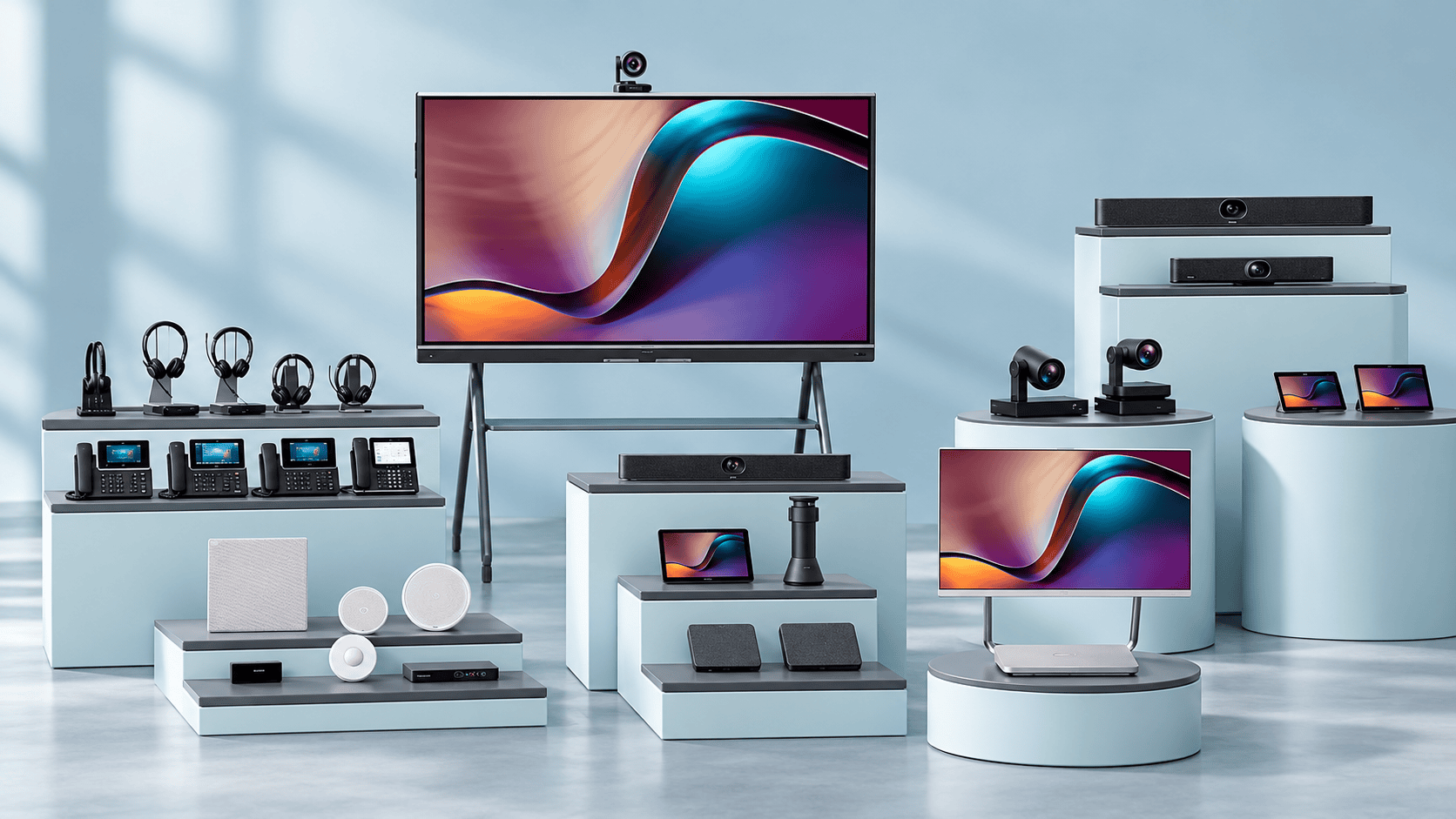
Yealink in South Africa: phones, meeting rooms and headsets
Choosing Yealink equipment starts with the conversation your business needs to improve. A receptionist handling transfers, a team meeting with remote colleagues and a consultant moving between laptop and mobile calls need different tools—even when they use the same communications platform.
This guide brings together Yealink’s phones, meeting-room equipment and business headsets, with the local buying questions that matter: compatibility, installation, supply and support.
TechnologyBlog.co.za is a South African technology publication. This page provides buying guidance; quotations and purchases are handled by suppliers and their sales partners.
Choose your starting point
| What needs to work better? | Start with | Establish before choosing a model |
|---|---|---|
| Business calls at a desk or across a site | IP desk phones, DECT cordless systems or platform-specific phones | Your telephone service, required call controls, network and power arrangements |
| Meetings involving several people in one room | USB video bars, dedicated room systems and suitable microphones | Room layout, acoustics, meeting platform and whether meetings run from a laptop or a room account |
| Calls and meetings for an individual | Wired USB, DECT wireless or Bluetooth headsets | Connected devices, wearing preference, mobility and supported call controls |
A business may need all three categories. The aim is to give each person and space the equipment appropriate to its role, with a support arrangement that covers the complete installation.
Yealink phones: match the handset to the telephone service
A desk phone earns its place through the work it makes easier. For reception, that may mean handling several calls and transferring callers quickly. At an ordinary office desk, straightforward controls and a compatible headset connection may be more useful than a larger screen.
Kathea’s Yealink voice catalogue lists desk phones including the T34U, T46U and T48U, alongside cordless, conference and Microsoft-oriented devices. These listings provide examples to discuss with a supplier; they do not confirm current stock or identify the best replacement for an existing installation.
The first question is which telephone platform the business uses. A SIP phone needs a compatible service or PBX, and functions such as extension monitoring, directories and remote provisioning depend on the wider system.
Our Yealink T31P guide explains the entry-level desk-phone approach and the distinction between buying a handset and obtaining a working telephone service.
For staff who move around a premises, ask about a DECT cordless system and arrange a coverage assessment. For fixed desks, establish whether the quoted phone supports Power over Ethernet and whether the network can supply it. Where separate power adapters are required, have them itemised.
A useful proposal should identify the exact handset, the service it will connect to and who will configure and maintain it.
Yealink meeting rooms: decide how the meeting will run
The central room-design decision is whether people bring the meeting on their laptop or join through a dedicated room system.
In a laptop-led room, a USB video device provides the camera, microphones and speakers while the computer runs the meeting application. Kathea lists the Yealink UVC34 as an integrated USB device for small and huddle rooms. Our UVC34 explainer introduces that approach.
A dedicated room system has a different operating model: the room itself signs into the chosen platform, with an interface designed for shared use. Kathea’s video catalogue includes MeetingBar and MVC room-system listings, as well as cameras and room-booking equipment.
The equipment should follow the room. Table length, the furthest participant, windows behind speakers and reflective surfaces all affect the design. A camera’s resolution cannot establish whether everyone will be heard clearly.
Ask the installer to demonstrate the proposed system from both ends of a call. Include someone seated at the far end of the table and test how visitors share content.
Platform compatibility needs an exact model
“Works with Teams” can describe several different things: a USB peripheral used by a laptop, a certified personal device or a dedicated Teams Rooms system. They are different purchasing decisions.
Yealink documents Teams and Zoom certification for the MeetingBar A40, together with supported wired BYOD operation. That does not establish identical capabilities across every MeetingBar model, bundle or software version.
For a dedicated Teams room, the quote should identify the room account, the appropriate Teams Rooms licence and who will administer both. Microsoft documents separate licensing requirements for Teams Rooms.
Confirm the precise model, platform edition, firmware requirements, controller and accessories before approving the order.
Yealink headsets: choose around the working day
Headset selection benefits from a short trial with the people who will wear them. Comfort, microphone placement and reliable mute controls can matter more over a full working day than another feature on a comparison sheet.
Yealink’s ranges cover three useful starting points:
- Wired USB headsets: Suitable to consider for laptop or desktop calling where a cable is acceptable. Kathea lists UH-series models, including the UH34.
- DECT wireless headsets: Worth assessing for staff who need movement around a workstation. Kathea lists the WH62 and other WH-series devices.
- Bluetooth headsets: A category to explore where mobile-phone and computer use overlap. Confirm the exact model’s connection options and supplied accessories.
The connection needs checking at both ends. A headset’s physical plug, wireless connection and supported answer, mute or end-call controls are separate considerations.
Specify the desk phone or computer, operating system and calling application when requesting advice. Ask whether the quoted edition includes the required USB adapter, base or charging stand.
For a larger rollout, test the proposed model with a small group before standardising. Include users with different wearing preferences and test calls in the actual working environment.
Kathea Communications is a South African value-added distributor specialising in voice, audio visual, video conferencing, unified communications, workspace management, and collaboration technology solutions. Working with leading global technology brands, Kathea helps businesses modernise the way they communicate, meet, and work by delivering practical solutions for boardrooms, meeting spaces, hybrid work environments, contact centres, and enterprise collaboration. With a strong focus on technical expertise, partner support, and real-world business outcomes, Kathea continues to play an important role in connecting South African organisations with the technologies shaping the future of work.


Ben Liebenberg is the Chief Technology Officer at Kathea Communications and a respected South African technology leader with expertise across cybersecurity, artificial intelligence, digital transformation, AV, unified communications, networking, hybrid work and product evaluation. As a hands-on product reviewer and active voice in the technology community, Ben brings a practical, real-world perspective to the platforms, devices and innovations shaping modern business. For more information, expert insight, product guidance or collaboration opportunities, readers can connect with Ben on LinkedIn or reach out through Kathea’s official contact channels.


