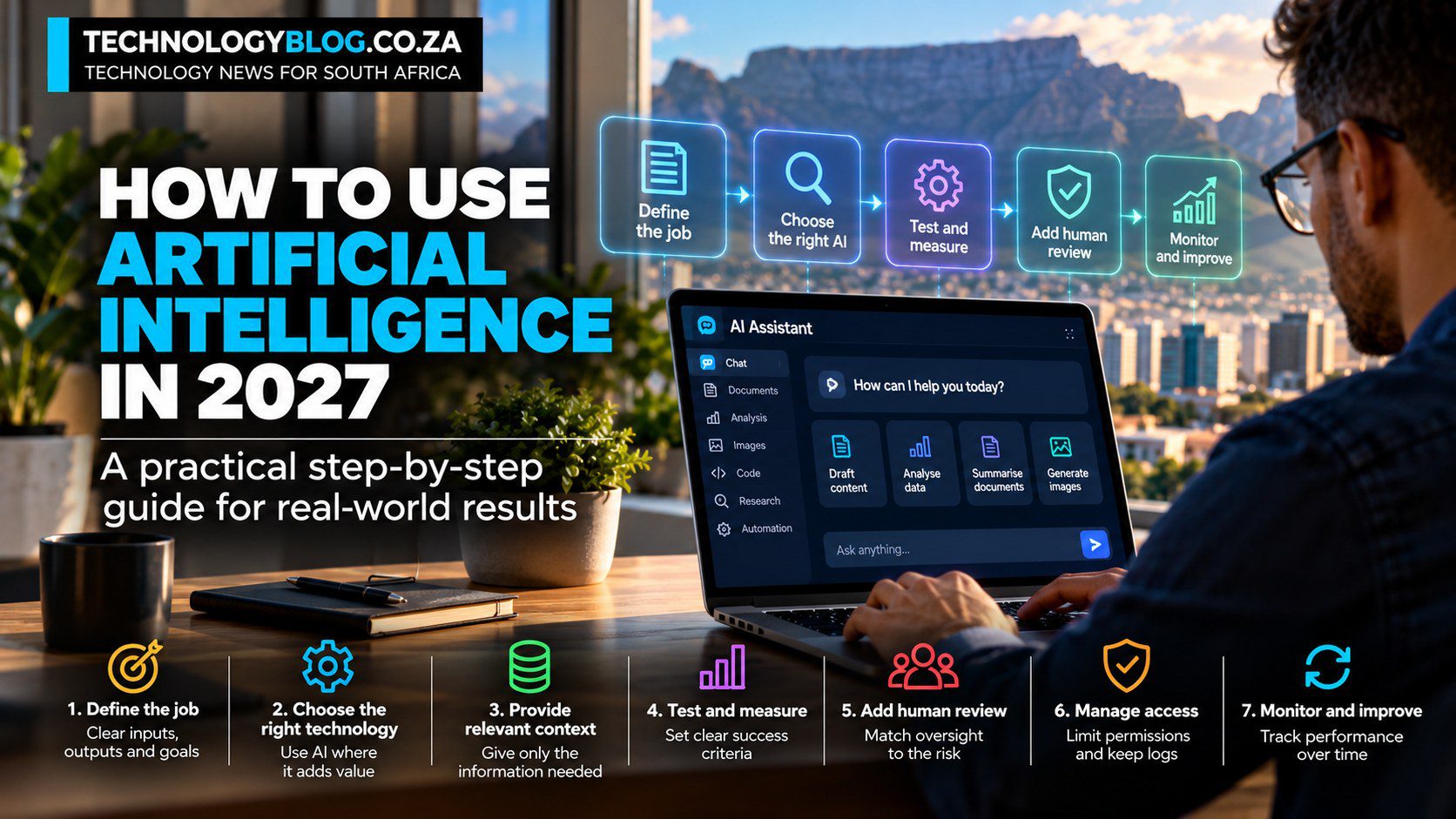
How to Use Artificial Intelligence in 2027
The most expensive AI mistake can happen before a model is ever used: buying the technology first and inventing the business case afterwards.
That sequence is increasingly tempting as vendors add AI to almost every software category. A more defensible 2027 workflow runs in the opposite direction: define the job, decide whether AI is actually necessary, choose the smallest system that can do it and measure whether the result is genuinely better than the process it replaces.
This approach works for a chatbot, coding assistant, predictive model, document system, computer-vision tool or agent. If the terminology is still unfamiliar, read Artificial Intelligence Explained first.
1. Write down the job before you choose a model
“Use AI for customer service” is not a job. “Draft a reply from the approved support knowledge base and send it to an adviser for review” is.
The second version defines an input, output and review point. That makes it possible to test quality and compare the AI-assisted process with the existing one.
Do the same for any proposed use case. What comes in? What should come out? Who needs the result? What must never happen?
2. Check whether ordinary software would be better
AI is useful when interpretation, prediction, generation or pattern recognition is required. It is less useful when the process already follows stable rules.
If every approved invoice should move to the same accounting queue, normal automation is cheaper and easier to audit. If invoices arrive in dozens of layouts and somebody has to read each one before routing it, AI may help with extraction before deterministic rules take over.
Using AI only where uncertainty exists is often more robust than asking a model to control an entire workflow.
3. Match the technology to the shape of the problem
- Language models: drafting, summarisation, Q&A, research and knowledge work.
- Computer vision: image recognition, inspection and visual analysis.
- Predictive machine learning: forecasting, scoring, recommendations and anomaly detection.
- Speech AI: transcription, voice interfaces and call analysis.
- Generative image or video systems: concepts, editing and media production.
- Coding assistants: code generation, explanation, tests and debugging.
- Agents: multi-step work that requires tools, connected systems and actions.
The categories overlap, but choosing the job first prevents a general chatbot from becoming the default answer to every problem.
4. Give the system only the context it needs
Generative AI improves when it has relevant context. That does not mean every available document belongs in the prompt.
A support assistant may need the approved product manual and customer ticket. It probably does not need the entire company drive. A contract-analysis task may need the agreement being reviewed, not unrelated personnel records.
Good AI design is partly an information-minimisation problem: enough context to perform the work, no more exposure than necessary.
5. Define success before you run the first test
Without an evaluation standard, teams tend to judge AI by whether the demo feels impressive.
A useful measurement depends on the job. For document extraction, track field-level accuracy. For support drafting, measure adviser correction time and policy errors. For a forecast, measure error against known outcomes. For a writing workflow, measure how much editing the first draft needs before publication.
That baseline matters because generation speed is not the same as productivity.
6. Test normal cases, ugly cases and missing information
A polished demo usually contains a clean input. Real work does not.
Test incomplete documents, ambiguous instructions, conflicting data and edge cases. Include examples where the correct behaviour is to stop, say “I do not know” or escalate to a person.
The test set should resemble the work the system will actually receive. An AI that performs well on ten hand-picked examples may still be unfit for production.
7. Make evidence part of the workflow
For factual work, ask where the answer came from. Document systems should point back to pages or sections. Research tools should link to sources. Product specifications should come from first-party documentation. Calculations should expose the method.
AI can shorten the path to evidence. It should not become the evidence itself.
This is especially important in journalism, law, finance, healthcare and technical work, where a plausible unsourced answer can create more risk than an obvious failure.
8. Put human review where the consequence justifies it
Not every AI output needs the same approval process.
A draft social caption can tolerate more uncertainty than a credit decision. A code suggestion needs testing. A medical recommendation needs qualified clinical judgement. A security change may require explicit approval before execution.
The review point should match the cost of error, not the novelty of the technology.
9. Treat permissions as an engineering decision
Agents make access control more important because they can do things rather than only suggest them.
A system that can read email, access files and update a CRM should receive only the permissions required for the task. High-impact actions should have confirmation steps, and the organisation should keep logs that show what happened.
Useful autonomy is bounded autonomy.
10. Measure total effort, not response time
If a model creates a draft in ten seconds but an employee spends 30 minutes fixing it, the workflow may be worse than before.
Count preparation, prompting, retrieval, model cost, review, corrections, exceptions and monitoring. Compare the full process with the old one.
This is where many weak AI business cases collapse: they measure output speed and ignore cleanup.
11. Document the workflow once it works
A good result becomes more valuable when another person can reproduce it.
Record the approved tool, data source, instruction, evaluation criteria, review step, escalation route and known failure cases. If the underlying model changes materially, rerun the evaluation instead of assuming yesterday’s performance still holds.
12. Monitor the system after launch
Models change. Data changes. Users discover shortcuts. Business rules change. A process that worked at launch can degrade quietly.
NIST’s AI Risk Management Framework treats AI risk as an ongoing lifecycle problem rather than a pre-launch checklist. The OECD’s 2026 due-diligence guidance makes a similar point: organisations need processes for identifying and addressing impacts over time.
A practical South African starting point
South African organisations do not need to wait for a final national AI policy to use AI responsibly. POPIA, contracts, sector obligations, cybersecurity requirements and ordinary governance already create boundaries. The TechnologyBlog AI guide for South Africa provides the wider policy and governance context.
Choose a task that happens often, uses data you are allowed to process and produces an answer a person can check. Run a limited pilot. Record where the AI helps and where it fails. Expand only after the evidence supports it.
For examples of those lower-risk starting points, continue with AI for Work or AI for Business.


