HP brings Poly Lens devices into WXP: what changes for IT teams?
HP’s latest management update puts collaboration devices and meeting rooms inside its Workforce Experience Platform. The opportunity is less time piecing together a fault but access, licensing and device support still determine what administrators can do.
A meeting room support call rarely arrives with a useful diagnosis. Someone cannot join, a controller is unresponsive or a device has disappeared from the network. Before fixing anything, IT has to establish which equipment is involved and what it is reporting.
HP’s 19 October 2026 Poly Lens update aims to shorten that first investigation. It brings visibility of Lens-managed collaboration devices into HP Workforce Experience Platform, or WXP, alongside the portal used for HP PCs and printers.
For businesses already using both services, the change offers a more connected place to investigate problems across personal workspaces and shared rooms. Its value will depend on whether the information leads support staff to a useful action.
More than a shortcut to another console
HP had already connected WXP and Poly Lens earlier in 2026. The spring release provided tenant linking, role based authorization and single sign-on access to Lens through a separate browser tab.
The October announcement goes further, introducing a Lens view within WXP for room, site and device inventory, alongside troubleshooting and room visualisation capabilities.
HP says organisations can use their existing Lens information without migrating device data or rebuilding their inventories. For administrators who have already organised rooms and sites, that continuity removes a potentially substantial preparation task.
There is an important documentation distinction. The add-on overview, updated in March, and connection instructions updated in August still describe the earlier click through workflow. The October announcement and newly published feature guides describe the expanded experience. Reading only the older pages understates what HP has now introduced.
A clearer starting point for headset and room faults
The inventory documentation lists information including device model, software version, serial number, room, site, connection status and when a device was last detected. Administrators can also export inventory information to CSV.
That is useful operational detail. A support team can establish whether it is dealing with an offline device, identify the installed software and locate the equipment before deciding how to proceed. HP notes that the inventory should be refreshed for the latest status between polling cycles.
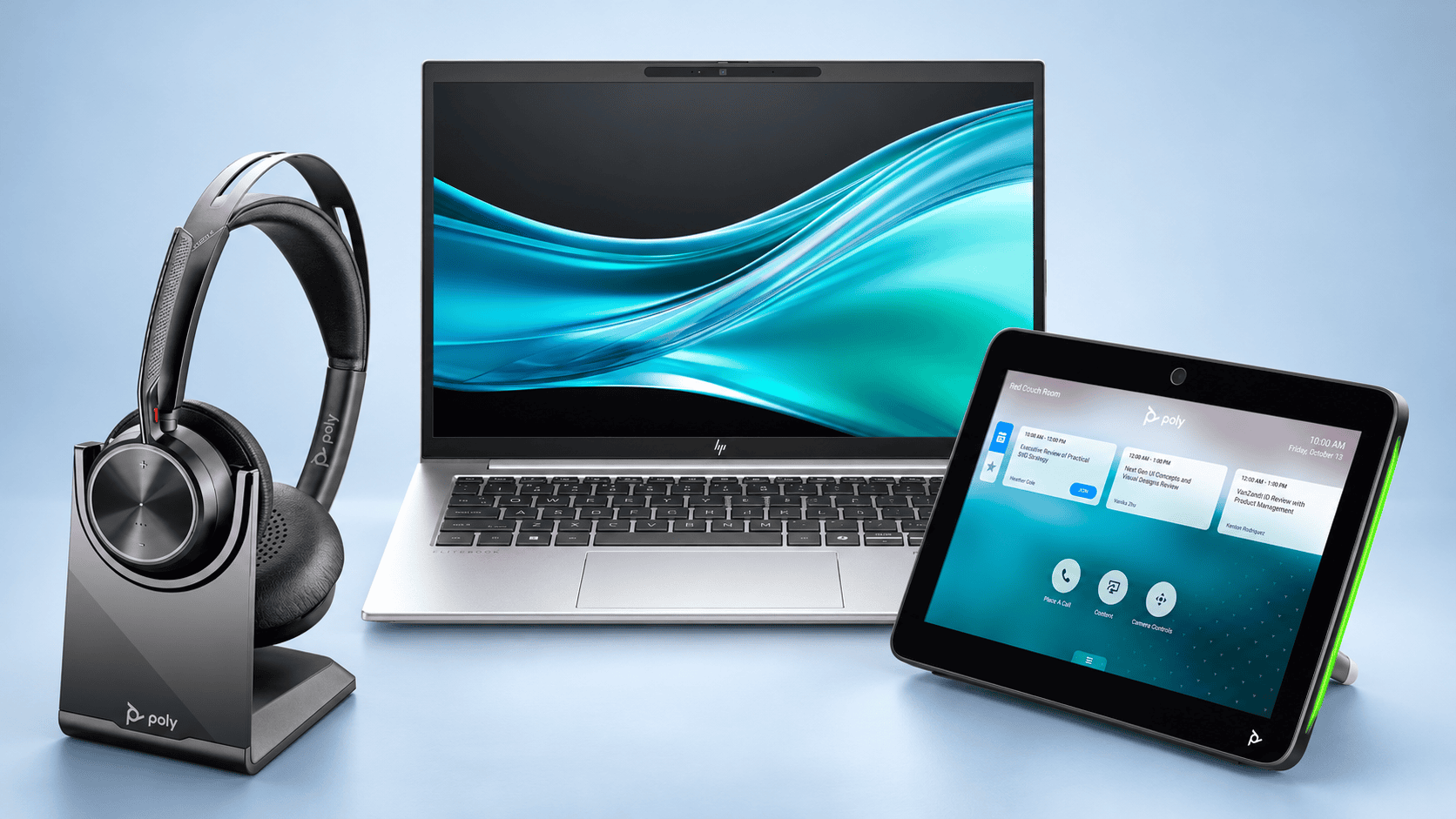
The scope extends across personal devices and meeting spaces. For organizations supporting headsets such as the Poly Voyager Focus 2, visibility matters at the employee’s desk. For rooms equipped with systems such as the Poly Studio X52 or Studio X72, the investigation also involves shared equipment and the room around it.
Those environments should not be treated identically. Seeing a headset in inventory does not mean every room management function applies to it. Available actions depend on the device, its connection and the relevant service entitlement.
Remote access has specific boundaries
One of the more practical capabilities is remote control of supported Poly TC8 and TC10 touch controllers.
HP documents support for a standalone TC10, or a TC8/TC10 paired with supported Poly video systems, including the Studio X series, G62 and G7500. Requirements include controller firmware 6.4 or later, enabled Remote Access, device enrolment and a Poly Lens Pro for Room licence.
The controller must be online, and only one remote session can run on a device at a time.
For a central support team, access to the actual controller interface could reduce the need to ask a meeting participant to describe every screen or press buttons on IT’s behalf. It could also help distinguish an interface problem from a wider equipment fault.
The connection has visible consequences for people in the room. HP says users receive a request and have 30 seconds to accept or deny it. If nobody responds, the session starts after that interval. The interface indicates that remote access is underway.
Administrators should therefore establish when and how support staff may take control. The capability is useful precisely because it reaches equipment people may be using.
Room VisualizerAI adds the physical context
HP has also brought Room VisualizerAI into WXP. Introduced earlier in 2026 as a premium capability tied to Poly Lens Pro for Rooms, it builds a room model from photographs and dimensions.
The October instructions call for eight photographs, followed by a review of the generated model. Administrators can adjust objects and explore device placement, with layers showing camera field of view and microphone coverage.
For remote teams, that supplies context an inventory table cannot: where equipment sits in relation to the table, seating and other objects.
It remains a planning tool. HP explicitly warns that the generated model may be inaccurate and requires verification. A coverage overlay should not be treated as proof that speech is intelligible or every participant is framed correctly in a live meeting.
Room photography also needs preparation. HP instructs users to remove people and sensitive information from the images before submission.
What South African IT teams should check
For businesses supporting several offices, the practical opportunity is a shorter path from a reported fault to the right device and support action. HP’s announcement also describes room calendar context that can help administrators choose a suitable maintenance window.
The connection itself has constraints. HP’s add-on guidance permits one Poly Lens tenant per WXP tenant and requires matching data centre regions; cross region connections are not supported. It maps WXP IT Admin users to Lens administrative access and Report Admin users to read-only access.
Those conditions deserve checking before a rollout, especially where different business units already maintain separate accounts.
HP directs existing connected customers to the Lens tab in WXP. Organisations making the connection for the first time start under Add-ons > Poly Lens > Connect.
South African pricing and account specific entitlements were not established in the reviewed material. Businesses should obtain a quote that identifies the WXP service, applicable Lens licenses and supported functions rather than assuming the connection includes every premium capability.
The strongest case for this update is straightforward: support staff can begin with a better view of the equipment they are responsible for. Whether that becomes fewer site visits and faster repairs will depend on the estate, the permissions and the actions available once they find the problem.
