Best Gemini Tools and Use Cases in 2027
Gemini has reached the point where feature abundance can become its own usability problem. Deep Research, Canvas, Workspace integrations, Live, desktop apps, skills and agentic workflows all solve different jobs. A useful guide therefore needs to do more than list them: it needs to show where each capability removes measurable friction and where a simpler tool would be easier to control.
This guide focuses on fit. The broader product picture is in TechnologyBlog’s Google Gemini complete guide, while Gemini Latest Features and Updates tracks changes that age too quickly for an evergreen article.
Deep Research: best for source-heavy questions
Deep Research is built for questions that need more than one search result. Google’s support documentation says it creates a research plan and can use Google Search plus selected sources such as Gmail, Drive, uploaded files and NotebookLM notebooks where supported.
The best use case is not “tell me about a topic”. It is “investigate this question, show me the evidence and organise the answer so I can audit it”. Analysts, journalists, students and product teams can all benefit, provided they still inspect the sources.
Canvas: best for building and iterating
Canvas is useful when the output needs to evolve. Rather than returning one answer, Gemini can help users work on documents, code or other structured creations over several turns.
The value is continuity. The risk is treating generated work as production-ready. Code should be tested, factual copy should be sourced and public-facing material still needs editorial review.
Connected Apps: best when the source already lives elsewhere
Connected Apps reduce manual transfer between Gemini and other services. If the information you need is in Gmail, Drive or another supported service, an authorised connection can make the assistant more context-aware.
That convenience changes the privacy surface. Google’s Privacy Hub explains that Gemini can process data from connected apps when those services are used. The rule should be least privilege: connect only what the workflow needs.
Gemini in Workspace: best for work embedded in Google apps
Google’s September 2026 Workspace update moved Gemini beyond inline suggestions toward cross-app actions. It can work from selected context in Gmail, Drive, Docs, Slides and Chat and can generate structured work products while the user stays in the current app.
For teams already operating in Google Workspace, this integration may matter more than a synthetic model benchmark. The assistant is closer to the actual work and governed by Workspace access controls. TechnologyBlog’s overview of Google Workspace in 2026 gives the wider platform context.
Gemini Live: best for conversational, real-time work
Gemini 3.8 Live and 3.8 Live Extended Thinking arrived in September. Google describes them as live dialogue models capable of working with real-time visual context and managing complex reasoning while conversation continues.
That creates opportunities for hands-free assistance, guided troubleshooting, visual explanation and voice-driven workflows. It also makes privacy and accidental capture more important because live sessions can involve audio, video and screen content.
File analysis: best for long documents and mixed media
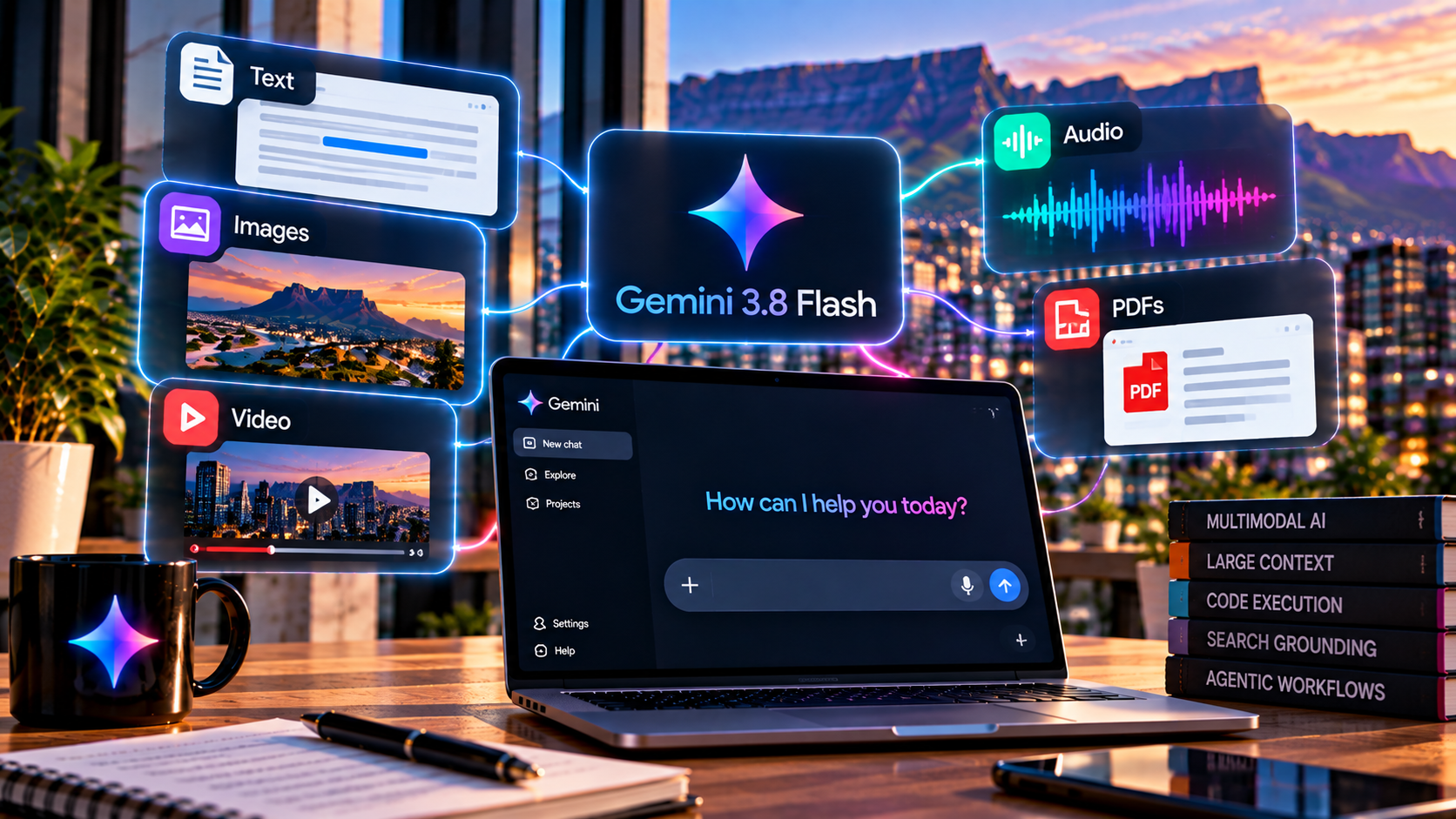
Gemini’s multimodal models can work across text, images, audio, video and PDFs. The 3.8 Flash developer documentation lists a context window above one million tokens, making large inputs part of the model’s design rather than an edge case.
In practice, good file use is about traceability. Ask for page numbers, sections, timestamps or cells so that a human can verify the result.
Image and media tools: best for rapid visual iteration
Gemini’s wider ecosystem includes image, video, music and speech-generation capabilities. These tools can accelerate concept work, storyboards, campaign drafts and production experiments.
Publishers should clearly distinguish generated visuals from documentary images. Businesses should also consider rights, consent and brand controls rather than assuming a generated asset is automatically safe to use.
Desktop apps: best for reducing context switching
The Mac and Windows Gemini apps put the assistant closer to the operating system. Google’s Windows release in September added a keyboard shortcut, connected Google apps, image creation and Deep Research from a desktop workspace.
The value is speed: users can invoke Gemini without breaking focus. The trade-off is that desktop context can include files, windows or other information that deserves careful permission handling.
Skills: best for repeatable instructions
Google launched skills for personal Gemini accounts on 30 September 2026. The support documentation describes them as reusable instructions that can be invoked directly and, in some situations, automatically applied when Gemini recognises they are relevant.
This is powerful for recurring work such as editing rules, research standards or support triage. It also means a bad instruction can become a repeatable bad workflow, so teams should version and review reusable skills like any other operational process.
Gemini Spark: best for bounded agentic work
Gemini Spark is Google’s push toward a personal agent that can carry out multi-step jobs. The concept is important even where access varies: Gemini is moving from producing suggestions toward acting under user direction.
Agentic features should be adopted gradually. Start with tasks that are reversible, observable and easy to review. Do not begin with workflows where one mistaken action can create legal, financial or security consequences.
Which Gemini tools should you learn first?
Start with ordinary chat and files, then add Deep Research for evidence-heavy questions. If you already work in Google Workspace, learn those integrations next. Use Canvas, Live and agentic tools when the task benefits from them rather than because they are new.
The best feature is the one that improves the total workflow after review time is included. If a tool saves two minutes of generation but creates twenty minutes of checking, it has not improved the job.
The best Gemini feature may be the one you do not need
Do not begin with a feature and search for somewhere to use it. Identify the slow or repetitive part of the work first, then test whether Deep Research, Workspace, Live, Canvas or an agent reduces total effort after review.
If ordinary search, a spreadsheet formula or a document template already solves the problem reliably, adding a more agentic Gemini workflow can increase rather than reduce complexity. The tool earns its place when the whole process improves, not when the interface looks more advanced.


