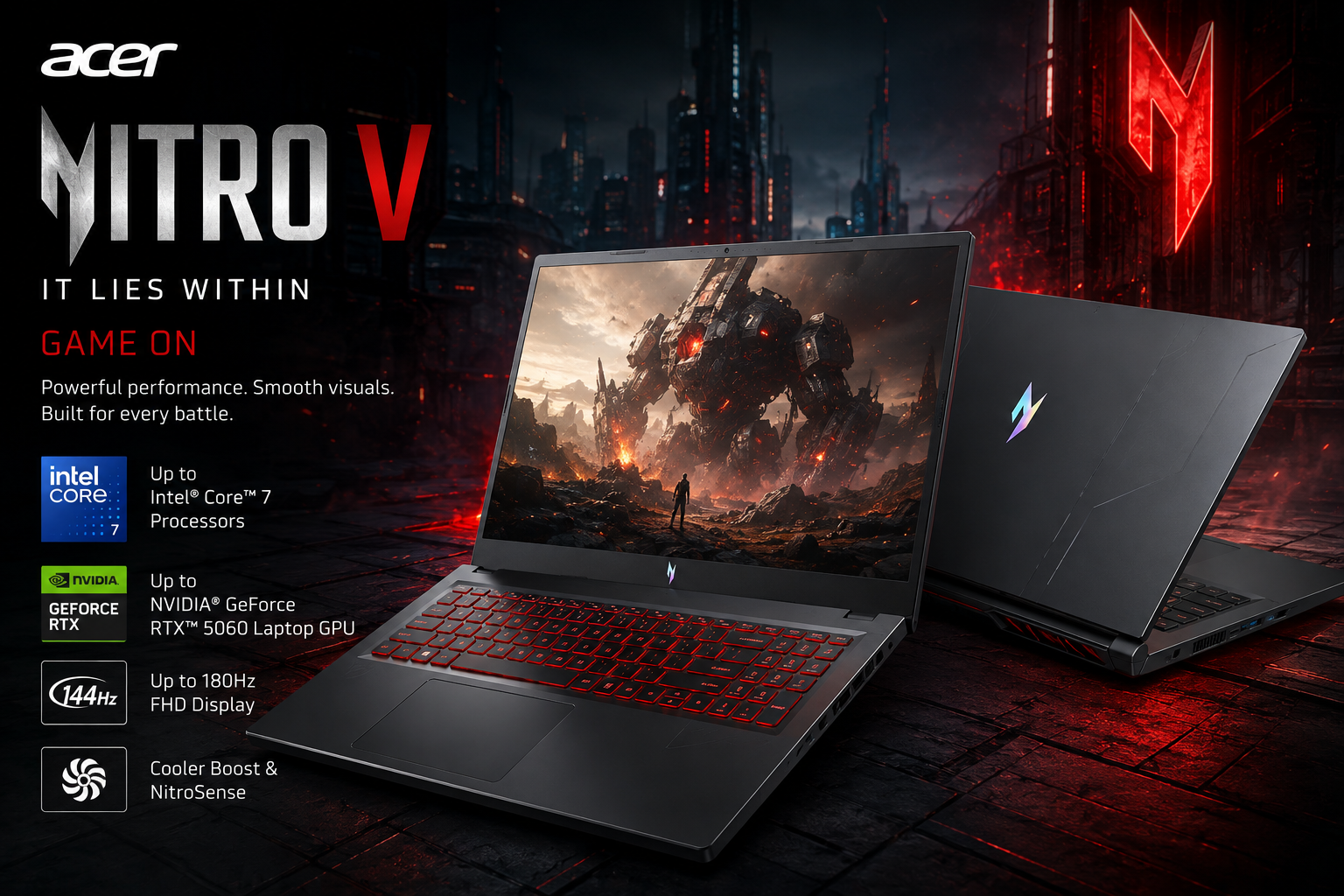
Acer Nitro V gaming laptops bring RTX 50 Series graphics to the mainstream gaming range
Acer’s Nitro V gaming laptop family now spans a wide range of 15-, 16- and 17-inch systems, with current South African models reaching NVIDIA GeForce RTX 50 Series graphics and newer Intel Core Ultra or AMD Ryzen AI processors.
The local Nitro range includes machines such as the Nitro V 15, Nitro V 16 AI, Nitro V 16S and several AMD-powered configurations. At the upper end, Acer South Africa currently lists Nitro V systems with graphics reaching the GeForce RTX 5070 Laptop GPU, while the current Nitro V 15 Intel family reaches an RTX 5060 Laptop GPU.
The range is designed for buyers who want dedicated gaming graphics and higher-refresh displays without necessarily moving into Acer’s more specialised gaming systems. Exact specifications vary substantially between Nitro V models, making the complete model number more important than the Nitro V name alone.
TechnologyBlog.co.za has not tested the current Acer Nitro V range. This article therefore focuses on verified specifications, features and buying considerations rather than providing gaming benchmarks, temperature measurements or battery conclusions.
Nitro V now covers several different gaming laptops
The Nitro V name no longer refers to one fixed 15-inch machine.
Acer South Africa currently lists:
- Nitro V 15 Intel
- Nitro V 15 AMD
- Nitro V 15 AI AMD
- Nitro V 16 Intel
- Nitro V 16 AMD
- Nitro V 16 AI Intel
- Nitro V 16 AI AMD
- Nitro V 16S Intel
- Nitro V 16S AI Intel
- Nitro V 16S AI AMD
- Nitro V 17 AI AMD
The wider Nitro catalogue also includes non-V Nitro 16, Nitro 17 and Nitro 18 models.
That variety means two laptops carrying Nitro V branding can use different processor generations, GPU tiers, display sizes and connectivity.
A buyer should therefore check the full Acer model number before ordering.
Nitro V 15 reaches RTX 5060 graphics
The current Acer Nitro V 15 Intel is one of the more straightforward members of the range.
Acer South Africa lists configurations reaching an Intel Core 7 240H processor with up to 10 CPU cores and a maximum turbo frequency of 5.2GHz.
Graphics reach the NVIDIA GeForce RTX 5060 Laptop GPU with 8GB of GDDR7 memory.
Acer lists maximum graphics power of up to 85W with Dynamic Boost.
That power figure matters because laptop GPUs with the same NVIDIA model name can operate at different power levels in different notebooks.
An RTX 5060 Laptop GPU operating at 85W should therefore not automatically be expected to perform identically to an RTX 5060 in a larger notebook with a higher graphics-power limit.
TechnologyBlog.co.za has not benchmarked the Nitro V 15.
RTX 50 Series introduces Blackwell and DLSS 4
Current Nitro V models with RTX 50 Series graphics use NVIDIA’s Blackwell architecture.
Acer highlights support for technologies including ray tracing and DLSS 4, with Multi Frame Generation available in compatible games on supported RTX 50 Series GPUs.
DLSS can improve displayed frame rates or reconstructed image quality by combining neural rendering techniques with conventional GPU rendering.
Generated frames should not be confused with increasing native rendering performance.
Game support, GPU power limits, resolution and graphics settings all influence the actual benefit.
The same RTX hardware can also accelerate supported creative and AI applications through NVIDIA’s CUDA and Tensor Core ecosystem.
Nitro V 16 AI takes the range further
Acer’s current South African Nitro catalogue also includes the Nitro V 16 AI Intel, which can be configured with a newer Intel Core Ultra 7 355 processor and GeForce RTX 5070 Laptop GPU.
That places the 16-inch AI model above the current Nitro V 15 in maximum GPU specification.
Acer also lists AMD-powered Nitro V 16 AI configurations that use Ryzen AI processors and RTX 50 Series graphics.
The AI branding primarily refers to processors with dedicated neural-processing hardware and software features that can use local AI acceleration.
It should not be interpreted as meaning every application automatically runs on the NPU.
The Nitro V 15 display reaches 180Hz
The current Nitro V 15 Intel family uses a 15.6-inch Full HD display with a resolution of 1920 × 1080.
Acer lists display configurations reaching:
- 180Hz refresh rate
- 3ms response time
- 100% sRGB colour coverage
A higher refresh rate can make motion look smoother when the GPU produces sufficiently high frame rates.
The 100% sRGB specification may also make suitable configurations more useful for general content work than older gaming laptops with narrower colour gamuts.
Exact display specifications still depend on the SKU.
Not every Nitro V 15 should therefore be assumed to include the maximum 180Hz panel.
Nitro V 16S moves into a slimmer chassis
The Nitro V 16S takes a different approach.
Acer South Africa lists the Intel model with processors reaching the Intel Core 9 270H and graphics reaching the GeForce RTX 5070 Laptop GPU with 8GB of GDDR7 memory.
The GPU is listed at up to 85W maximum graphics power.
Display configurations reach a WQXGA 2560 × 1600 panel running at 180Hz.
This gives buyers a higher-resolution option than the Full HD Nitro V 15 while retaining a relatively portable form factor.
However, rendering at 2560 × 1600 places a greater load on the GPU than Full HD.
Users may therefore need to adjust graphics settings or use DLSS in demanding games if they want to combine the panel’s native resolution with high frame rates.
NitroSense provides fan and performance controls
Acer uses NitroSense as the primary performance-control application across the Nitro family.
The software allows users to monitor system temperatures, adjust fan behaviour and switch between available performance modes.
These controls can be useful because gaming laptops operate within strict power and thermal limits.
Higher performance modes can allow more power and fan activity, while quieter modes may reduce noise at the expense of some performance.
TechnologyBlog.co.za has not independently measured the noise or temperature differences between NitroSense modes.
Acer ProCam can automatically record gameplay moments
Acer is also adding more software features aimed specifically at gamers.
Acer ProCam can identify selected gameplay highlights and record them automatically.
This could be useful for players who want to capture clips without manually starting a recording before every match.
Acer also includes PurifiedView for supported video-call processing and PurifiedVoice for noise reduction.
These features use software processing rather than changing the underlying webcam or microphone hardware.
Their effectiveness depends on the situation and would require hands-on testing.
Current Nitro V models use DDR5 memory
Acer’s current South African Nitro V listings include DDR5 memory across many configurations.
DDR5 provides higher available bandwidth than older DDR4 laptop memory, although the practical benefit depends on the processor, application and memory configuration.
Acer also lists PCIe Gen4 NVMe storage on current Nitro V models.
The exact installed RAM and SSD capacity vary by SKU.
Gaming buyers should pay particular attention to storage.
Modern PC games can consume more than 100GB each, so a smaller system drive can fill quickly once Windows, applications and several large games are installed.
Some Nitro V models provide USB4
Connectivity also varies across the family.
Current AMD Nitro V models include configurations with USB4, giving users access to high-speed external storage, displays and compatible docking hardware through USB-C.
Intel models can provide different connectivity depending on platform and generation.
Buyers who require Thunderbolt, USB4 or USB-C charging should therefore verify that feature on the specific model rather than assuming all Nitro V laptops provide the same USB-C functionality.
Wired networking still matters for gaming
The Nitro V family retains Ethernet on applicable models alongside Wi-Fi.
A wired connection can provide more predictable latency for online gaming and faster large downloads when suitable network infrastructure is available.
Wireless performance will depend on the Wi-Fi adapter installed in the specific Nitro V model and the router being used.
A newer wireless standard does not automatically improve internet speed if the broadband connection remains the limiting factor.
Older Nitro V 15 models remain on Acer South Africa’s website
Acer’s South African catalogue also illustrates why buyers need to watch model numbers carefully.
The company still lists older Nitro V 15 configurations using 13th-generation Intel processors and GeForce RTX 30 Series graphics.
For example, the Nitro V 15 ANV15-52-53A7 uses an Intel Core i5-13420H with a GeForce RTX 3050 6GB operating at up to 65W.
Other older South African configurations also remain indexed on Acer’s local website.
That means a listing simply labelled “Acer Nitro V 15” could refer to dramatically different hardware.
An RTX 3050 configuration and a newer RTX 5060 version may look similar in a product title while offering very different GPU capabilities.
Acer Nitro V 15 current family specifications
| Specification | Acer Nitro V 15 Intel |
|---|---|
| Product type | 15.6-inch gaming laptop |
| Operating system | Windows 11 Home |
| Processor | Up to Intel Core 7 240H |
| Maximum listed CPU cores | 10 |
| Maximum turbo frequency | Up to 5.2GHz |
| Graphics | Up to NVIDIA GeForce RTX 5060 Laptop GPU |
| GPU memory | Up to 8GB GDDR7 |
| Maximum listed GPU power | Up to 85W with Dynamic Boost |
| Display | 15.6-inch Full HD |
| Resolution | 1920 × 1080 |
| Refresh rate | Up to 180Hz |
| Response time | Up to 3ms listed |
| Colour coverage | Up to 100% sRGB |
| Memory | DDR5 on current configurations |
| Storage | PCIe NVMe SSD |
| Control software | NitroSense |
| Gameplay capture | Acer ProCam |
| Video-call processing | Acer PurifiedView |
| Noise processing | Acer PurifiedVoice |
| GPU architecture | NVIDIA Blackwell on RTX 50 Series configurations |
| DLSS | DLSS 4 support on compatible RTX 50 Series models |
Specifications describe the current Nitro V 15 Intel family rather than every individual Acer part number. Regional configurations differ.
Nitro V 16 AI can reach higher GPU specifications
For buyers who need more graphics capability, Acer’s current South African Nitro family stretches beyond the Nitro V 15.
The local range lists the Nitro V 16 AI Intel with up to a GeForce RTX 5070 Laptop GPU, while the Nitro V 16S also reaches RTX 5070 configurations.
This makes the Nitro V family broader than one performance tier.
Acer can use the name for an accessible Full HD gaming notebook as well as higher-resolution models with stronger GPUs.
The exact GPU and its power limit remain more useful buying information than the Nitro V badge.
Nitro and Predator are separate Acer gaming families
Although Acer uses both names for gaming PCs, Nitro and Predator are separate product families.
Nitro targets Acer’s broader everyday gaming range, while Predator branding appears on different gaming products elsewhere in Acer’s portfolio.
This article therefore refers specifically to Acer Nitro V, even when the product appears within a broader Acer gaming category.
Keeping the product names separate matters when looking up drivers, specifications, warranties and replacement parts.
South African pricing and availability
Acer maintains an official South African Nitro V 15 product page as well as a broader local Nitro gaming-laptop catalogue.
The official Acer South Africa pages did not publish a rand price for the current Nitro V 15 family when checked on 2 September 2026.
In line with TechnologyBlog.co.za’s pricing policy, retailer and distributor prices have not been used.
Official South African pricing had not been published by Acer at the date of publication, 2 September 2026.
Local availability also differs according to configuration.
Buyers should check the exact Acer part number to establish which processor, graphics card, display, RAM and SSD apply to the machine they are considering.
Check the model number before buying an Acer Nitro V
This is particularly important with the Nitro V family because Acer currently has several generations active on its South African website.
Before buying, check:
- complete Acer model number;
- processor model and generation;
- NVIDIA GPU;
- GPU power limit;
- graphics memory;
- screen resolution;
- refresh rate;
- colour-gamut specification;
- RAM capacity;
- available memory upgrade options;
- SSD capacity;
- available M.2 slots;
- USB-C specification;
- Wi-Fi standard;
- battery capacity;
- Windows edition;
- local warranty.
The product number can prevent buyers from accidentally purchasing an older RTX 3050 configuration when they expected the newer RTX 50 Series model.
Who should consider the Acer Nitro V?
The current Nitro V family makes the strongest case for buyers who want dedicated GeForce graphics and higher-refresh displays without necessarily choosing Acer’s highest-tier gaming hardware.
The Nitro V 15 provides the more conventional route with a 15.6-inch Full HD display and graphics reaching the RTX 5060 Laptop GPU.
The Nitro V 16 and 16S families give buyers larger or higher-resolution screens and configurations reaching RTX 5070 graphics.
Acer also offers AMD versions for users who prefer Ryzen processors.
The range’s main challenge is not a lack of choice. It is the amount of choice under one name.
Current and older Nitro V laptops can sit beside one another in searches while using very different processors and GPUs. For South African buyers, checking the complete SKU before purchasing is therefore essential.