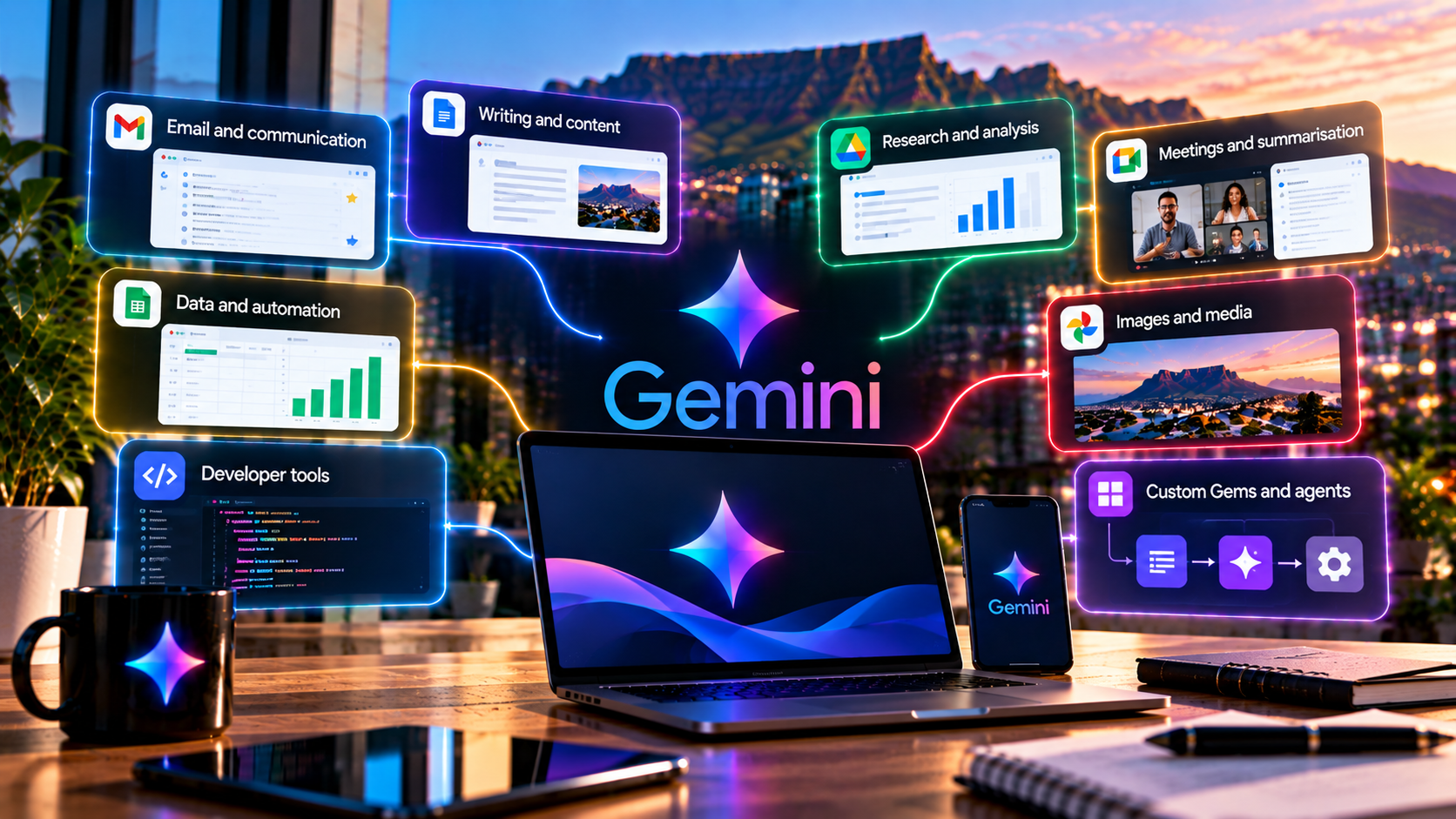
Gemini for Work: Practical Ways to Save Time
Gemini can make a task look fast long before the work is actually finished. A draft may appear in seconds and still create half an hour of checking. The more convincing workplace gains come when Gemini removes repeated searching, transferring and formatting while leaving consequential decisions with the person accountable for them.
For the broader product, see TechnologyBlog’s Google Gemini complete guide. This article focuses on practical employee-level workflows.
1. Turn scattered context into a briefing
Knowledge workers often spend more time finding information than analysing it. Gemini can help combine selected context from Drive, Gmail and other authorised Workspace sources into a briefing, provided the user gives it a specific question and checks the source material.
A useful prompt is: “Using only these three documents and the selected email thread, list the decisions already made, open questions, owners and deadlines. Mark anything not explicitly stated.”
2. Draft from source material, not from memory
Use Gemini in Docs to turn notes and source files into a first draft. The advantage is not that the model writes prose faster; it is that the draft can start from information already in the workflow.
Google’s March Workspace update describes Gemini pulling from selected files, emails and web sources to help draft and refine work. The review still matters. A polished paragraph can misrepresent a source if the source selection was wrong.
3. Use Gmail for compression before composition
Gemini can be useful in email before it writes a reply. Ask it to summarise the thread, identify unresolved questions and list commitments. Only then draft the response.
This separates understanding from composition. It also gives the user a chance to catch a missed detail before the AI turns it into a confident email.
4. Use Sheets to explain data and build structure
Google has expanded Gemini in Sheets to help build spreadsheets, resolve formula problems, structure data and handle more advanced analysis. This can make spreadsheets more accessible to users who know the business question but not the exact formula syntax.
For material figures, verify the calculation. Ask Gemini to show its formula, source range and assumptions rather than trusting the narrative summary.
5. Prepare presentations from evidence, not from slogans
Gemini in Slides can help move from blank deck to structure. The time-saving workflow is to give it a source pack and ask for a narrative sequence, not to let it invent claims to fill slides.
Require source notes for statistics and keep a human editor responsible for the conclusion. Presentation polish is not evidence.
6. Use Drive as a retrieval problem
Many teams do not need more content; they need to find the document that already contains the answer. Gemini can help search and synthesise Workspace material, but access remains governed by user permissions and administrative controls.
Google’s Workspace access-control documentation says Gemini can only use Workspace data the user is allowed to access, while administrators and content owners can impose further restrictions.
7. Turn meetings into decisions
AI meeting assistance is most useful when it reduces the gap between conversation and action. Summaries, notes and follow-up drafts can be turned into decisions, owners and deadlines.
The human meeting owner should still confirm the output. A transcription error or misread commitment can create more work than it saves if it is distributed without review.
8. Use Deep Research for the first evidence pass
Deep Research can build a structured report from web and selected personal or work sources where supported. That is useful for market scans, vendor research, policy summaries and technical briefings.
Use it as the first evidence pass, not the final authority. Open primary sources and distinguish vendor claims from independent evidence.
9. Reduce context switching with cross-app tasks
Google’s September Workspace update is explicitly about “less switching”. Gemini can orchestrate work across selected Workspace apps and create documents, spreadsheets or presentations while the user stays in the current context.
This is where agentic AI may produce real productivity gains: fewer manual hops between email, files and documents. It is also where permissions and auditability become more important.
10. Build reusable skills for recurring work
When a task repeats, capture the instructions. Google’s 30 September launch of skills for personal Gemini accounts turns reusable guidance into something that can be called directly inside ordinary Gemini chats.
A team could create an editorial skill that requires primary sources, separates fact from inference and prohibits unsupported claims. A support team could create a skill that drafts from approved knowledge but never invents policy.
11. Measure total time, not AI generation time
The right productivity metric is end-to-end effort. Count source preparation, prompting, checking, corrections and approvals. A fast draft that creates a long review burden is not a productivity win.
Start with bounded tasks where quality is easy to judge. Once a workflow is reliable, consider deeper integration. For company-wide governance, continue with Gemini for Business. For feature selection, see Best Gemini Tools and Use Cases.
Where Gemini can create more work
Gemini is a poor productivity shortcut when the employee cannot judge the subject. If every generated paragraph needs independent research, or every spreadsheet explanation must be rebuilt from scratch, the model may simply move effort from creation to verification.
Too much connected context can create the same problem. More files and apps may produce a richer answer, but they also create more opportunities for Gemini to select the wrong source. Use the narrowest context that can solve the task and measure review burden as carefully as drafting time.
Cross-app automation changes where errors can enter
Google’s September 2026 Workspace release makes this especially important because Gemini can now gather selected context across apps and create new work products from it. A wrong email thread, outdated Drive file or misunderstood source can propagate into a document, spreadsheet or presentation without the user manually copying the mistake. The productivity gain is real only when the source selection and approval step stay visible.
Use Gemini as a reviewer, not only a generator
One of the quieter workplace uses is quality control. Give Gemini a draft and ask it to identify unsupported claims, missing decisions, unclear ownership or contradictions between the document and its source material. That keeps the employee in control of the work while using AI as a second pass. The result should still be reviewed, but the workflow can reveal problems earlier than a final approval stage.


