ChatGPT South Africa: Complete Guide for 2027
There is no separate “South African version” of ChatGPT. The product experience varies by plan, enabled tools, rollout stage, workspace settings and the models available to a particular account. For South African readers, the genuinely local questions are therefore less about a different product and more about privacy, workplace governance, POPIA and how AI is used inside local organisations.
This guide is the main ChatGPT hub for South African readers in 2027. It explains what ChatGPT is, what it can do, how to start using it, how its tools fit together, what South African users should know about privacy and POPIA, where the risks are, and which deeper guides to read next. Because ChatGPT changes quickly, time-sensitive product updates are kept in our ChatGPT latest features and updates tracker rather than duplicated throughout this page.
What is ChatGPT?
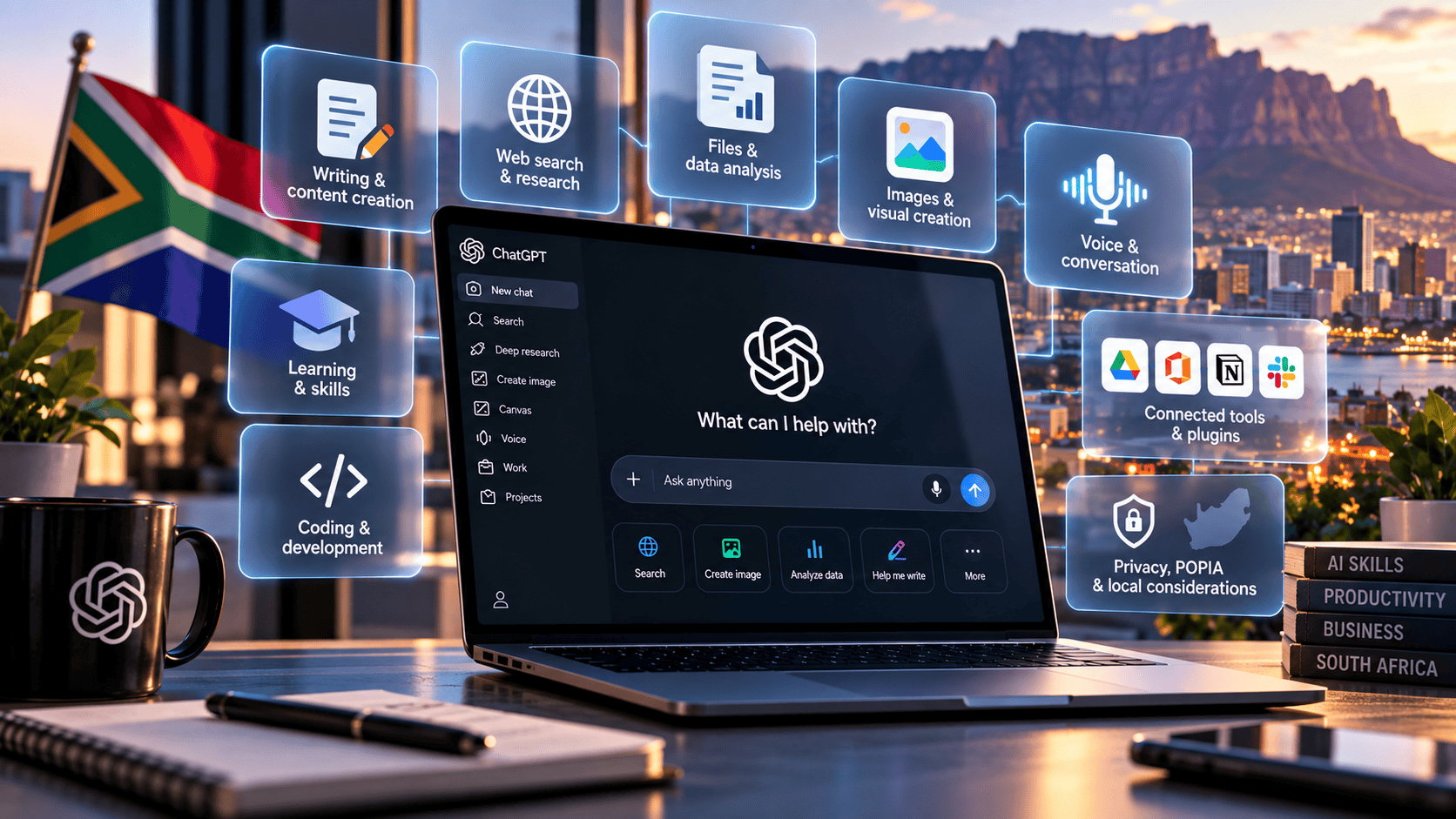
ChatGPT is an AI assistant from OpenAI. In its simplest form, you type or speak an instruction and receive a response. In current supported experiences, ChatGPT can also search the web, work with uploaded files and images, analyse data, generate images, use voice, and connect to other tools or services. OpenAI describes it as an assistant for tasks including brainstorming, writing, studying, planning, maths, coding and analysing images or files.
The important word is assistant. ChatGPT can accelerate work, but fluent output is not the same as verified truth. It can misunderstand context, make factual errors, overstate certainty or produce a plausible answer that is not supported by evidence. The safest way to use it is to combine AI speed with human review.
If you are completely new to the product, begin with ChatGPT for Beginners: What It Is and How to Get Started. That article explains the basic mental model before you move into more advanced workflows.
What is different for South African users?
South African users interact with the same ChatGPT product family rather than a country-specific edition. The parts that deserve local attention are governance and context: whether an employer has approved a workflow, what personal or confidential information is being processed, and whether the organisation’s use of AI is consistent with POPIA, contracts and internal policy.
Feature access can still differ between accounts because OpenAI rolls out tools by plan, platform, workspace and staged release. Those differences reflect account and rollout conditions rather than a separate South African edition.
What can ChatGPT do in 2027?
The modern ChatGPT product is broader than a text chatbot. The exact tools available depend on the account, but the main capability groups are now easy to understand.
| Capability | What it is useful for | Where to go deeper |
|---|---|---|
| Chat and writing | Questions, explanations, drafting, rewriting, brainstorming and structured thinking | How to use ChatGPT in 2027 |
| Web search | Current information, source discovery, recent announcements and changing facts | ChatGPT tools explained |
| Files and data | Summarising documents, comparing versions, extracting facts, analysing spreadsheets and creating structured outputs | 10 things you can do with ChatGPT |
| Images | Image generation, visual concepts and supported image editing or analysis | ChatGPT tools explained |
| Voice | Hands-free conversation, idea capture and supported connected workflows | Latest ChatGPT features |
| Work and connected tools | Longer multi-step tasks, research, deliverables and workflows that use files or connected services where available | ChatGPT for work |
OpenAI’s current product documentation describes a distinction between ordinary Chat for fast conversational assistance and Work for longer multi-step jobs and finished deliverables. Plugins can package reusable instructions, connected apps and other capabilities. Availability depends on the plan, workspace, role, region and rollout.
How to start using ChatGPT
The fastest way to learn ChatGPT is to use it on a task you already understand. That gives you enough subject knowledge to judge whether the answer is useful.
- Start with an outcome. Say what you want at the end, not only the topic.
- Give context. Explain the audience, situation and source material.
- Add constraints. Specify length, tone, exclusions, source requirements or other boundaries.
- Request a format. Ask for a table, checklist, email, research brief, comparison, article outline or another concrete output.
- Verify what matters. Check factual claims, calculations, citations and high-impact advice before acting.
A vague prompt such as “help with my business” forces ChatGPT to guess what success means. A stronger instruction is: “Turn these meeting notes into decisions, actions, owners and deadlines. Do not invent missing names or dates. Mark anything not specified.” The second prompt is easier to review because the job is bounded.
Our full step-by-step guide to using ChatGPT expands this into a repeatable workflow for search, files, research and editing.
What are the most useful everyday applications?
ChatGPT is strongest where natural-language instructions can remove friction between raw information and a reviewable result. Common examples include drafting an email, explaining a difficult concept, turning notes into a brief, asking questions about a long document, comparing two versions of a policy, analysing a spreadsheet, generating a research structure or preparing for a meeting.
For practical examples rather than feature descriptions, see 10 Things You Can Do With ChatGPT in 2027. The point of that article is not to collect tricks; it is to show workflows that can be tested on real work.
ChatGPT for work in South Africa
For individual knowledge workers, ChatGPT can reduce time spent on first drafts, document comparison, meeting preparation, research organisation, spreadsheet explanation and routine transformation between formats. The gain is largest when the employee can review the output quickly and knows what a correct result should look like.
It is less useful when every generated sentence requires independent research. In that situation, an AI draft can create more verification work than it saves. A realistic productivity measure therefore includes review and correction time, not only generation speed.
See ChatGPT for Work: Practical Ways to Save Time for employee-level workflows and review practices.
ChatGPT for South African businesses
At business level, the question changes from “what can this chatbot do?” to “which workflow produces measurable value with acceptable risk?” Useful areas can include support preparation, internal knowledge access, research, sales preparation, marketing drafts, operations documentation, reporting support, software work and management briefings.
The safest early use cases usually share three characteristics: they happen often, the output can be checked, and the data can be handled appropriately. High-impact automated decisions deserve a much higher bar than low-risk drafting or document transformation.
Business adoption also introduces permissions, access control, retention, data classification and accountability. Connected AI should not silently give an employee access to information the employee could not otherwise see. Read ChatGPT for Business: Use Cases and Examples for the organisation-level framework.
Privacy, data controls and POPIA
South African users should treat ChatGPT privacy as both a product-settings issue and a legal or organisational governance issue. OpenAI provides Data Controls that let eligible signed-in users decide whether conversations are used to improve models. Its current documentation says Temporary Chat stays out of chat history while it remains temporary, does not create or update memories, and is not used to improve OpenAI models. Before a temporary conversation begins, users can choose Personalized or Unpersonalized: a personalized temporary chat can use existing memories, custom instructions and plugins, while an unpersonalized one does not. OpenAI may retain a copy for up to 30 days for safety purposes.
Those controls do not replace an organisation’s responsibilities under South African law. The Protection of Personal Information Act 4 of 2013 (POPIA) regulates the processing of personal information and establishes minimum requirements for lawful processing. The South African Government describes the Act as protecting personal information processed by public and private bodies and regulating matters including data-subject rights and cross-border flows.
In practice, that means a South African organisation should not assume that information is safe to paste into an AI service simply because the interface feels conversational. Customer records, employee information, medical information, credentials, confidential contracts, proprietary source code and commercially sensitive documents may require stricter controls, approved tools or a decision not to use a consumer AI workflow at all.
Before using ChatGPT with sensitive business information, ask: What data is being processed? Who is authorised to access it? Which account or workspace is being used? What are the retention and training settings? Are connected apps necessary? What contractual, regulatory or internal rules apply?
What about Memory?
Memory can make ChatGPT more useful by allowing relevant context from chats, files or connected apps to personalise future responses when the feature is enabled. OpenAI’s current documentation says users can control Memory under Settings > Personalization.
The editorially important distinction is that memory, chat history and model-improvement settings are not the same thing. Users should understand which controls they are changing instead of treating “privacy settings” as one switch.
Can you trust ChatGPT’s answers?
Not automatically. ChatGPT can hallucinate: it can generate an incorrect statement, source, interpretation or calculation that sounds convincing. Search and citations improve the verification process but do not make every sentence true. A model can still misread a source or make a stronger claim than the source supports.
The practical rule is simple: the higher the cost of being wrong, the stronger the review should be. Brainstorming headline ideas requires less verification than interpreting a contract, changing a production system, publishing a financial claim or making a decision that affects someone’s rights.
Our ChatGPT benefits, risks and limitations guide covers hallucinations, sensitive data, automation bias, missing context and high-impact use in more detail.
How should students and learners use ChatGPT?
ChatGPT can be useful as a tutor-like explanation tool when the learner still does the intellectual work. Ask it to explain a concept in simpler language, create practice questions, test understanding, show another worked example or give feedback on an answer you have already attempted.
The weaker pattern is to outsource the assignment and submit the result. That may produce a finished-looking answer while removing the learning step. Students should also follow their school or university’s academic-integrity rules and verify factual material rather than assuming the model is authoritative.
Should you use ChatGPT or an alternative?
ChatGPT is one of several major general-purpose AI assistants. Claude, Gemini, Microsoft Copilot and Perplexity overlap with ChatGPT in areas such as writing, research, coding, file analysis and connected work, but their ecosystems and workflow emphasis differ.
There is no useful universal answer to “which chatbot is best?” without defining the task. A Google-heavy organisation may value Google integration; a Microsoft-heavy business may care more about Microsoft 365 workflows; a research-heavy user may prioritise source visibility; a software team may prioritise coding tools and repository workflows.
For a current side-by-side view, use our ChatGPT Alternatives in 2027: Claude, Gemini, Copilot and Perplexity comparison.
How do ChatGPT plans affect the experience?
OpenAI currently offers Free, Go, Plus and Pro consumer plans alongside managed Business, Enterprise and Edu options, plus specialised workspaces such as ChatGPT for Healthcare. The exact models, usage limits, tools and workspace controls change over time, so a plan should be evaluated from current account documentation rather than an old feature table.
For an evergreen guide, the more durable distinction is this: free access is useful for ordinary experimentation; personal paid plans generally increase limits and tool access; managed organisational plans add collaboration, administration and enterprise-oriented controls. Do not choose a plan from an old screenshot or static feature table if a specific capability matters to your work.
Why ChatGPT changes so quickly
ChatGPT is not a static software product. Features, interfaces, models and integrations can change within weeks. In September 2026 alone, OpenAI documented changes involving Voice, plugins, Work and Codex models, interactive flashcards, Microsoft Word integration, image creation and account-security controls.
That is why this cornerstone page stays focused on durable concepts while ChatGPT Latest Features and Updates carries dated product changes. When a feature matters to a purchase, policy or workflow, verify it against OpenAI’s current documentation and your actual account.
Where ChatGPT appears to be heading
The clearest 2026 product direction is a shift from generating answers toward completing bounded tasks. Work, plugins, connected apps, richer voice interaction and deeper file workflows all move the product closer to an assistant that can gather context and produce finished deliverables rather than only return text.
That trend also increases the importance of permissions, verification and auditability. More capable AI is not automatically lower-risk AI. A system that can act across files, apps or websites needs clearer boundaries than a system that can only draft a paragraph.
For forward-looking analysis rather than confirmed product facts, read Future of ChatGPT in 2027: What Current Trends Suggest.
A practical way to use ChatGPT well
If you remember only one workflow from this guide, use this:
- Define the job. State the outcome, audience and constraints.
- Provide the evidence. Upload the relevant source material or ask for current web research when the facts can change.
- Separate facts from suggestions. Require sources for external factual claims.
- Ask for a reviewable output. Tables, checklists and structured drafts make errors easier to spot.
- Verify before acting or publishing. Open sources, check figures and use qualified expertise where the consequences justify it.
- Turn successful work into a repeatable process. Save the source requirements, constraints and review steps that made the result reliable.
This method matters more than memorising prompt tricks. Good AI use is increasingly a question of workflow design and judgement.
Frequently asked questions about ChatGPT in South Africa
Is ChatGPT officially supported in South Africa?
Yes. South Africa is listed in OpenAI’s current ChatGPT supported-countries documentation.
Do South Africans use a different version of ChatGPT?
No. There is no separate South African ChatGPT product. Feature access can still differ by plan, rollout, platform, workspace or account.
Can ChatGPT search the internet?
Yes. OpenAI’s current FAQ says ChatGPT can search the web and cite sources when current information is needed. Sources should still be opened and checked when the answer matters.
Can ChatGPT analyse documents and spreadsheets?
Yes, in supported experiences. File and data tools can help summarise, compare, extract and analyse information. Important calculations and conclusions should be validated against the source material.
Is ChatGPT safe for confidential business information?
Do not assume so by default. Suitability depends on the plan, workspace controls, data settings, contracts, permissions and the type of information. South African organisations should also consider POPIA and internal information-governance requirements.
Does ChatGPT always give correct answers?
No. It can produce incorrect or unsupported information confidently. Use primary sources and human review for important claims.
What is the best way to learn ChatGPT?
Start with a real, low-risk task you already understand. Give clear context and constraints, review the output, then iterate. That teaches you both what the tool is good at and where it fails.
Where should I check for new ChatGPT features?
Use OpenAI’s release notes for primary-source verification and TechnologyBlog’s latest-features tracker for an editorial summary of material changes.
TechnologyBlog’s ChatGPT guide library
- ChatGPT for Beginners: What It Is and How to Get Started
- How to Use ChatGPT in 2027
- ChatGPT Tools Explained
- ChatGPT for Work
- ChatGPT for Business
- ChatGPT Benefits, Risks and Limitations
- ChatGPT Alternatives in 2027
- 10 Things You Can Do With ChatGPT
- ChatGPT Latest Features and Updates
- Future of ChatGPT in 2027


