Google Gemini in 2027: Complete Guide to Models, Features and Uses
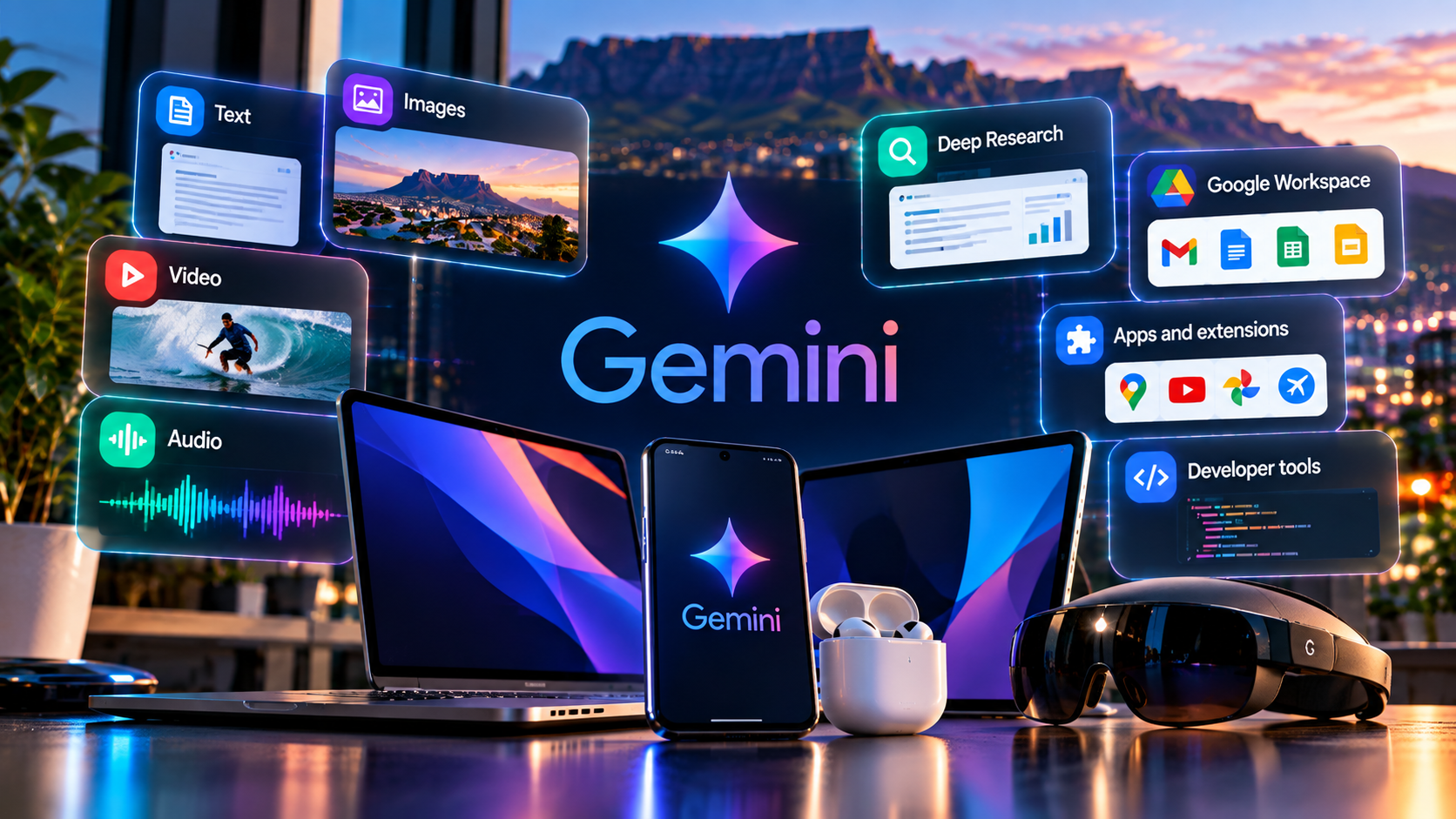
Google Gemini enters 2027 as a platform rather than a chatbot. The name now spans a consumer assistant, multimodal models, Deep Research, Google Workspace, native desktop apps and developer tools that are increasingly capable of carrying out multi-step work.
The expansion creates a product-definition problem as well as an opportunity. “Gemini” can now mean the app, Gemini 3.8 Flash, Deep Research, Live, a Workspace capability, a reusable skill or an API model. The useful way to understand the platform is to separate those surfaces, then ask what context each one can access, what action it can take and where a human still needs to approve the result.
What is Google Gemini?
Gemini is Google’s umbrella for its current generation of AI models and assistant experiences. The Gemini app gives consumers a conversational interface, while Gemini models also power developer APIs and features across Google products.
The model family is multimodal: Google’s current 3.8 Flash documentation lists text, images, video, audio and PDFs as supported inputs. The app adds user-facing tools such as Deep Research, Canvas, Live, connected apps and media generation.
Beginners who want the fundamentals without the product map can start with Gemini Explained: A Beginner’s Guide.
What changed in Gemini during 2026?
Google’s 2026 release cadence shows a shift toward agents and deeper integration. Gemini Spark is designed to perform tasks on a user’s behalf. Native Mac and Windows apps move the assistant onto the desktop. Workspace updates let Gemini orchestrate work across selected Google apps. Deep Research has become a more autonomous research workflow.
September alone brought Gemini 3.8 Flash, Gemini 3.8 Live, the Windows app and new text-to-speech models. For dated changes, use TechnologyBlog’s Gemini Latest Features and Updates rather than relying on this evergreen guide.
Gemini 3.8 Flash is the current fast workhorse
Google launched Gemini 3.8 Flash on 2 September 2026. The company positions it for long-horizon software engineering, autonomous agents and complex enterprise workflows while retaining Flash-class speed and efficiency.
The developer documentation lists a context window above one million tokens, 65,536 maximum output tokens, code execution, file search, function calling, search grounding, URL context and computer use in preview. Those capabilities show how far “Flash” has moved from meaning a lightweight chat model.
Gemini 3.8 Live makes voice more operational
Gemini 3.8 Live and Extended Thinking focus on real-time dialogue, visual context and complex reasoning that can continue while tools operate in the background.
This matters because voice becomes an interface to work rather than an alternative keyboard. The privacy implications grow at the same time: Live can involve audio, video and screen information.
Deep Research turns search into a research workflow
Deep Research creates a plan, gathers information and produces a report. Google’s help documentation says it can use Google Search plus selected sources such as Gmail, Drive, uploaded files and NotebookLM notebooks where supported.
The useful habit is to inspect the plan and evidence. Research quality depends on source selection, not only the sophistication of the final summary.
Gemini inside Google Workspace
Workspace is one of Gemini’s strongest strategic positions. Google has integrated AI into Gmail, Docs, Sheets, Slides, Drive and other products, then expanded those features toward cross-app agentic work.
September’s Workspace announcement describes Gemini gathering context from selected files, emails and chat threads and creating formatted documents, spreadsheets or presentations under user direction.
TechnologyBlog’s Google Workspace overview covers the wider productivity platform.
How Gemini handles Workspace permissions
Google says Gemini’s access to Workspace data is controlled by the user’s permissions, administrator restrictions and content-owner controls. For example, if a user cannot access a Drive file, Gemini should not be able to use it on that user’s behalf.
This matters as AI becomes more agentic. Permission design is part of the product, not a back-office detail.
Connected Apps expand context
Gemini can work with supported Google and third-party services. Connected Apps reduce manual copying and can let the assistant operate on information already in the user’s workflow.
The privacy trade-off is that more context is being processed. Connect only what the task requires and understand the service’s own terms and data handling.
Canvas is for building, not just answering
Canvas gives Gemini a workspace for creating and refining structured outputs such as documents or code. It is useful when the work needs iteration rather than a single response.
Generated code and factual content still require testing and verification. An interactive workspace makes revision easier; it does not make the model infallible.
Skills are replacing Gems
Google launched reusable skills for personal Gemini accounts on 30 September 2026. Skills package repeatable instructions that can be called inside ordinary chats, and Google says Gemini can also apply a relevant skill automatically.
Gems are still scheduled to transition automatically beginning in November 2026 for personal Google accounts, followed by Workspace business, enterprise and non-profit accounts in March 2027 and education accounts in June 2027. Users with important Gems should therefore treat the migration timeline as a real product change rather than assuming the current Gem interface is permanent.
Gemini on Windows and macOS
Google now has native desktop Gemini experiences on Mac and Windows. The Windows app launched in September and can be invoked with Alt + Space, while the Mac app arrived earlier in 2026.
Desktop presence matters because AI can sit beside existing applications instead of requiring users to move work into a browser tab.
What can you actually do with Gemini?
The product’s breadth is easier to understand as jobs:
- research a topic with sources;
- ask questions about files;
- summarise and draft from Gmail or Drive context;
- analyse and build spreadsheets;
- create document and presentation drafts;
- work with images, audio and video;
- talk through tasks with Gemini Live;
- create reusable skills;
- use agents for bounded multi-step work.
See 10 Things You Can Do With Gemini for practical examples and Best Gemini Tools and Use Cases for feature selection.
How to use Gemini effectively
Start with a clear outcome. Give the source material. State constraints. Ask for a format you can review. Require citations for changing facts. Then verify the output.
That process is more reliable than chasing prompt hacks. TechnologyBlog’s How to Use Gemini in 2027 gives the full workflow.
Gemini for work
Gemini can reduce repeated work across documents, email, meetings, spreadsheets and research. The strongest workplace use cases often involve compression and transformation rather than automatic decision-making.
Read Gemini for Work for employee workflows.
Gemini for business
Business adoption adds governance. Organisations need rules for approved data, connected apps, human review, source standards, retention and agent permissions.
Google provides Workspace administrator controls, but the organisation still owns legal and operational responsibility. South African businesses should map the workflow to POPIA, contracts and sector requirements.
See Gemini for Business: Use Cases and Examples.
Privacy: what Gemini can collect
Google’s current Gemini Apps Privacy Hub says Gemini can collect prompts, uploads, generated content, information from connected apps, device and browser information, Live transcripts and other context depending on the features used.
The same documentation explains activity retention and warns users to supervise browsing and task completion because Gemini can make mistakes.
Gemini’s main risks and limitations
Gemini can hallucinate, misinterpret a source, produce faulty code or act on the wrong context. Search grounding and file access improve the evidence available to the model; they do not guarantee that its conclusion is correct.
The consequence of an error should determine the review. A brainstorming draft can use lightweight checking. A security change, financial decision or legal commitment should use stronger controls or no autonomous AI at all.
See Gemini: Benefits, Risks and Limitations for the full risk guide.
Gemini vs ChatGPT, Claude, Copilot and Perplexity
Gemini’s clearest advantage is Google ecosystem integration. ChatGPT is a broad general-purpose assistant; Claude is strong in knowledge work and coding; Copilot is naturally aligned with Microsoft 365; Perplexity is built around research and visible sources.
No universal ranking is useful. Test the products with the same real work and measure correctness, source quality, review time, integration and governance.
TechnologyBlog’s Gemini vs the Leading Alternatives covers the comparison in detail.
What should users watch in 2027?
The visible direction is more agentic work, deeper Workspace orchestration, reusable skills, voice as an action interface and richer multimodal workflows. Those are trends, not confirmed 2027 promises.
Our Future of Gemini in 2027 article separates evidence from forecast.
Where to go next
| Article | Purpose |
|---|---|
| Gemini Explained | Beginner fundamentals |
| How to Use Gemini | Step-by-step workflow |
| Best Gemini Tools | Capability selection |
| Gemini for Work | Employee productivity |
| Gemini for Business | Organisational use cases |
| Benefits, Risks and Limitations | Trust and governance |
| Gemini vs Alternatives | Commercial comparison |
| 10 Things You Can Do | Practical discovery |
| Latest Features and Updates | Freshness tracker |
| Future of Gemini | Evidence-based outlook |
Gemini on Android and other Google surfaces
Gemini also reaches beyond the standalone web app. Google’s current Privacy Hub lists Gemini experiences across Android, iOS, Android Auto, Maps, Chrome and other supported Google surfaces. That distribution matters because the assistant can appear inside the task rather than requiring the user to visit a separate destination.
The trade-off is that each surface can expose different context. A mobile assistant may use device permissions or screen information that a browser chat does not. Users should review the permission model of the surface they are actually using instead of assuming all Gemini experiences behave identically.
Gemini for developers and Google Cloud
Developers can use Gemini models through Google’s AI tooling rather than only through the consumer assistant. Gemini 3.8 Flash exposes function calling, search grounding, code execution, structured outputs, file search and other capabilities intended for applications and agents.
That makes the model family relevant to software architecture as well as personal productivity. A business might use the Gemini app for employee research while a development team uses Gemini APIs inside a product or internal workflow. TechnologyBlog’s Google Cloud overview provides the wider cloud context.
What Gemini means for South African organisations
The useful local question is not whether Gemini is globally important; it is whether a specific workflow improves enough to justify the governance and training required. South African teams should evaluate AI alongside POPIA, client confidentiality, employment information, intellectual property and sector-specific rules.
That makes source control, access permissions and human approval central to adoption. A team that understands what Gemini can see and how an answer was produced is in a stronger position than one that simply adds an AI assistant to every process.
What changes quickly — and what stays useful
Gemini’s model names, rollout stages and interface details can change quickly. The more durable questions are slower: which source is the model using, what permission does the task require, can the result be verified and what happens if the assistant acts on the wrong assumption?
The dated Gemini update tracker records product changes, while this broader guide focuses on the architecture and habits that remain useful when a button or model name changes.
The bigger Gemini story entering 2027
Gemini’s story entering 2027 is not simply better answers. Google is turning the assistant into a layer across research, Workspace, desktop systems, multimodal media and agentic work. That can remove friction when the context and permissions are right.
The fundamentals remain less glamorous and more important: use the right sources, expose only the context the task needs, verify changing facts, test generated work and keep humans accountable for consequential actions.


