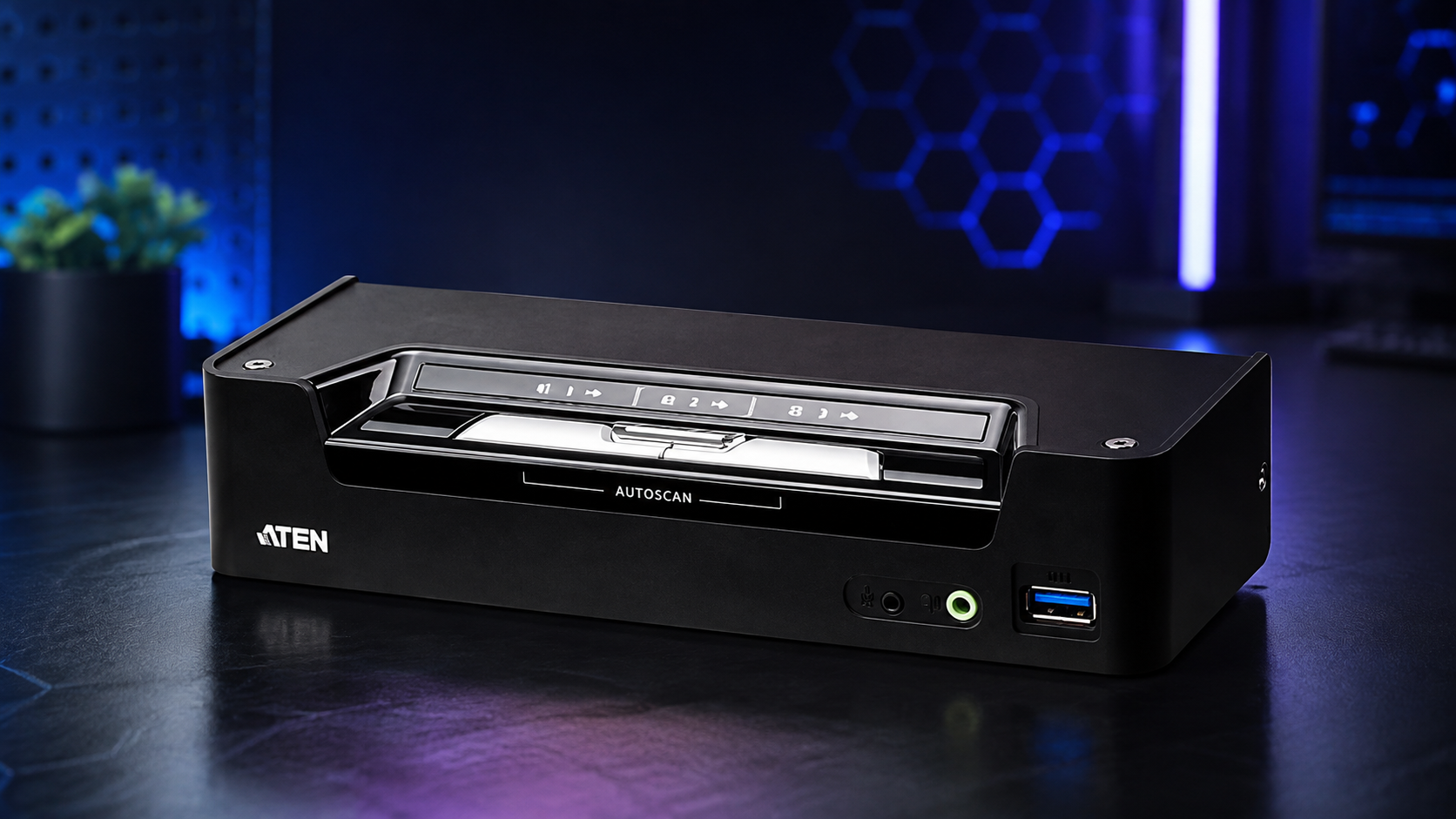
ATEN CS1953 combines DisplayPort and USB-C in a three-device KVM switch
The ATEN CS1953 is a three-port desktop KVMP switch designed for workstations that mix conventional DisplayPort computers with a USB-C laptop or other compatible USB-C device. It lets one keyboard, mouse and DisplayPort monitor control two DisplayPort computers and one USB-C system.
That hybrid arrangement is the CS1953’s main advantage. A desktop user could, for example, keep two permanently installed PCs connected through DisplayPort while plugging a work notebook into the third USB-C port. The switch also shares USB peripherals and audio rather than limiting its job to keyboard, video and mouse switching.
TechnologyBlog.co.za has not tested the ATEN CS1953. This article therefore focuses on its verified specifications and functionality rather than providing a performance review.
Three computers can share one workstation
The CS1953 supports three connected systems, but its ports are not identical. Two computer connections use DisplayPort for video, while the third uses USB-C. A single DisplayPort monitor forms part of the shared console alongside the USB keyboard and mouse.
The USB-C connection supports DisplayPort Alternate Mode, allowing a compatible USB-C connection to transport the video signal as well as data. This requirement is important because simply having a USB-C connector does not guarantee video output. ATEN’s documentation specifically states that the connected USB-C device must support DP Alt Mode for video to work through that port.
Users can change the active computer through front-panel pushbuttons, keyboard hotkeys, a compatible mouse or the supplied remote port selector. The remote selector can be particularly useful when the main KVM unit is positioned farther back on a desk to keep cables out of the way.
4K video runs at up to 60Hz
ATEN specifies maximum video output of 4096 × 2160 at 60Hz, while standard 3840 × 2160 4K output can also operate at 60Hz. The switch complies with DisplayPort 1.2 and HDCP 1.4.
That makes the CS1953 better suited to modern 4K desktop displays than older KVM hardware limited to 30Hz at 4K. However, the complete connection chain still matters. The computers, USB-C DP Alt Mode implementation, cables and monitor must all support the required video mode.
The CS1953 is built around a single shared DisplayPort monitor rather than a dual-display workstation. Buyers who use two or more monitors should therefore check ATEN’s multi-display KVM options instead of assuming additional monitors can be attached directly to this model.
USB peripherals can switch separately
The “P” in KVMP reflects the CS1953’s ability to share peripherals as well as the core keyboard, video and mouse controls. ATEN equips the switch with a two-port USB 3.1 Gen 1 hub, with supported transfer speeds of up to 5Gbps.
This allows devices such as USB storage or other compatible peripherals to move between the connected computers without users repeatedly disconnecting cables. ATEN also supports independent switching of the KVM, USB peripheral and audio focus. A user can therefore keep the keyboard and display assigned to one computer while a shared USB device or audio connection remains associated with another.
The switch supports HD audio and includes separate audio cabling for the connected systems. This makes it more appropriate for a permanently configured workstation than a very basic KVM intended only to swap a monitor, keyboard and mouse.
USB-C Power Delivery reaches 45W
The USB-C port adds another useful function: USB Power Delivery 3.0 with charging at up to 45W. A compatible notebook can therefore receive power while connected to the KVM.
There is an important qualification. ATEN states that the CS1953 must use the appropriate power adapter for USB-C charging to operate, and its global product listing notes that a power adapter only accompanies configurations sold with that option. Buyers should therefore check the exact package supplied by their distributor or retailer.
The 45W ceiling also deserves attention before buying the switch for notebook charging. Users should compare it with their laptop’s power requirements rather than assuming the KVM can fully replace every original notebook charger.
ATEN CS1953 specifications
| Specification | ATEN CS1953 |
|---|---|
| Computer connections | 3 |
| Computer video inputs | 2 × DisplayPort, 1 × USB-C |
| Console display | DisplayPort |
| Maximum resolution | 4096 × 2160 at 60Hz |
| 4K UHD support | 3840 × 2160 at 60Hz |
| DisplayPort standard | DisplayPort 1.2 |
| HDCP | HDCP 1.4 |
| USB hub | 2-port USB 3.1 Gen 1 |
| USB transfer rate | Up to 5Gbps |
| USB-C video | DisplayPort Alt Mode |
| USB-C charging | USB Power Delivery 3.0, up to 45W |
| Switching methods | Pushbuttons, hotkeys, mouse, remote port selector |
| Audio | HD audio support |
| Housing | Metal and plastic |
| Weight | 0.50kg |
| Dimensions | 20.63 × 7.54 × 4.40cm |
ATEN lists the CS1953 at 0.50kg and measures it at 20.63 × 7.54 × 4.40cm. Its relatively compact footprint allows it to remain on a workstation without occupying the space required by rack-oriented switching hardware.
Cables are included for the three-device setup
ATEN supplies the CS1953 with the cabling required for its core connections. The listed package includes two DisplayPort 1.2 cables, two USB 3.0 Type-A-to-Type-B cables, a USB-C cable, three audio cables and a remote port selector.
The power adapter requires closer attention because ATEN sells versions where it is configuration-dependent. Anyone specifically buying the CS1953 to charge a USB-C laptop should confirm that the locally supplied unit includes the correct adapter.
Its strongest case is a desk that genuinely needs its unusual combination of two DisplayPort computers and one USB-C system, along with 4K60 output, shared USB peripherals and audio. The main checks before buying are equally clear: the USB-C computer needs DP Alt Mode for video, charging tops out at 45W, only one DisplayPort monitor is shared, and buyers who need USB-C charging should confirm that their particular package includes the required power adapter.


