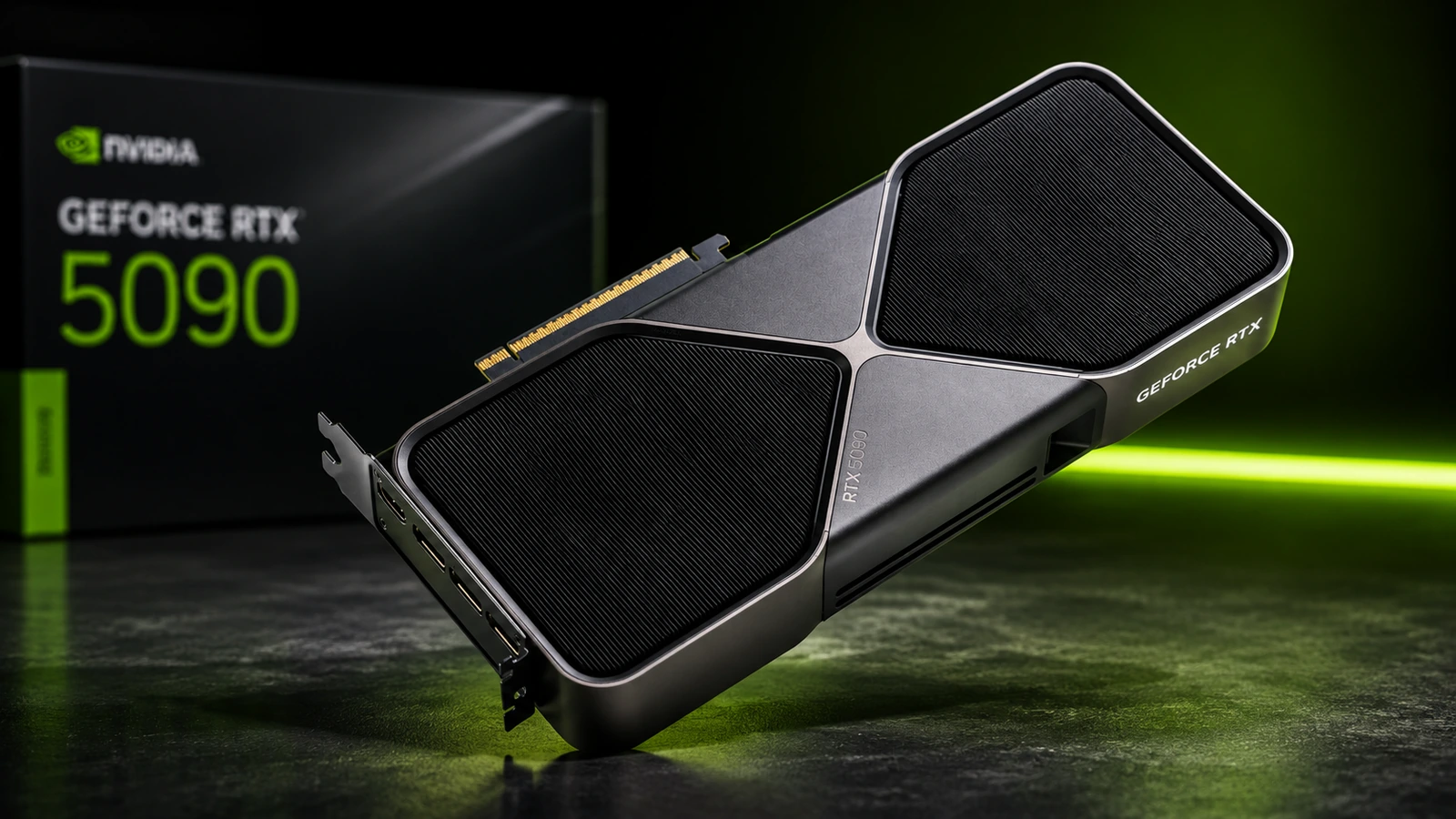
NVIDIA GeForce RTX 5090: features, specifications and use cases
The NVIDIA GeForce RTX 5090 sits at the top of NVIDIA’s GeForce RTX 50 Series desktop range. Built on the Blackwell architecture, it combines 21,760 CUDA cores, 32GB of GDDR7 memory and fifth-generation Tensor Cores with a substantial 575W Total Graphics Power rating. NVIDIA launched the desktop RTX 5090 on 30 January 2025.
Although GeForce remains primarily a gaming and creator brand, the RTX 5090 also has potential uses in businesses that run GPU-accelerated rendering, video production, local AI inference or development workloads. Its 32GB memory capacity is particularly relevant where applications need more GPU memory than the 24GB available on the previous RTX 4090.
TechnologyBlog.co.za has not tested the RTX 5090. This article therefore focuses on verified specifications, features and potential use cases rather than presenting it as a performance review.
Blackwell replaces Ada Lovelace
The RTX 5090 uses NVIDIA’s Blackwell GPU architecture, replacing the Ada Lovelace architecture used by the RTX 4090. NVIDIA equips it with 21,760 CUDA cores, compared with 16,384 on the RTX 4090. The newer GPU also moves from fourth- to fifth-generation Tensor Cores and from third- to fourth-generation RT Cores.
NVIDIA rates the RTX 5090 for 3,352 AI TOPS and 318 TFLOPS of ray-tracing performance. Those figures describe peak hardware capability under particular workloads and precisions; they should not be interpreted as a guarantee that an application will run a specific percentage faster.
Real performance depends heavily on the software, model, precision format, memory requirements and whether an application can use Blackwell’s newer features efficiently.
32GB of GDDR7 provides substantially more memory headroom
The RTX 5090 carries 32GB of GDDR7 across a 512-bit memory interface. NVIDIA lists memory bandwidth of 1,792GB/s. The RTX 4090, by comparison, uses 24GB of GDDR6X on a 384-bit interface.
That additional 8GB can matter outside gaming. Large 3D scenes, high-resolution textures, GPU rendering projects, AI models and demanding video workflows can consume large amounts of VRAM.
More memory does not automatically make every program faster. It becomes particularly valuable when a workload would otherwise exceed available GPU memory, force data back into system memory or require a smaller model or project.
DLSS has progressed from DLSS 4 to DLSS 4.5
The RTX 50 Series launched with DLSS 4, which introduced Multi Frame Generation for RTX 50 GPUs and transformer-based models for several DLSS features. Multi Frame Generation could create up to three additional frames for every conventionally rendered frame in its original 4X mode.
NVIDIA has since moved the platform forward. As of August 2026, the RTX 5090 supports the newer DLSS 4.5 feature set.
DLSS 4.5 adds a second-generation transformer model and Dynamic Multi Frame Generation. Its 6X mode can generate as many as five additional frames for every traditionally rendered frame on compatible RTX 50 Series GPUs. NVIDIA released Dynamic Multi Frame Generation and 6X Multi Frame Generation on 31 March 2026.
This distinction matters when reading early RTX 5090 coverage. Articles published around the January 2025 launch will naturally refer to DLSS 4, while NVIDIA’s current RTX 5090 page promotes DLSS 4.5.
Generated frames also should not be treated as equivalent to increasing the GPU’s native rendering throughput. DLSS combines rendering, reconstruction and AI-generated frames to raise displayed frame rates.
Fourth-generation RT Cores target increasingly complex ray tracing
Blackwell introduces fourth-generation Ray Tracing Cores. NVIDIA rates the RTX 5090 at 318 RT TFLOPS, compared with 191 RT TFLOPS for the RTX 4090.
The architecture also supports NVIDIA’s RTX Mega Geometry technology, which targets scenes with much higher levels of geometric complexity when ray tracing is enabled.
For gaming, this feeds into increasingly sophisticated path-traced lighting. The same underlying ray-tracing hardware can also matter to rendering, visualisation and design applications that use NVIDIA’s RTX acceleration.
Fifth-generation Tensor Cores expand AI capabilities
The RTX 5090’s fifth-generation Tensor Cores support newer AI data formats, including FP4. NVIDIA positions FP4 as particularly useful for increasing AI inference throughput and reducing memory requirements when supported by suitable models and software.
This creates several possible non-gaming uses for the card. Developers can run supported language models locally, experiment with generative AI, generate images through applications such as ComfyUI and accelerate AI-enabled creative software.
NVIDIA also lists Windows ML, Ollama and PyTorch among the software environments that can use RTX acceleration.
The important qualifier is software support. An advertised AI TOPS figure alone does not establish how quickly a specific LLM, image generator or business application will run.
Local AI is one of the RTX 5090’s more interesting business uses
The combination of CUDA support, Tensor Cores and 32GB of VRAM gives the RTX 5090 unusual capabilities for a consumer graphics card.
A business or developer could use it for tasks including:
- local LLM inference and experimentation;
- image generation;
- AI-assisted video workflows;
- computer-vision development;
- model prototyping;
- CUDA development;
- AI features inside creative applications.
Running AI locally can also help when an organisation does not want every document or prompt sent to a cloud inference provider. However, local processing does not automatically solve privacy or security requirements. Organisations still need to consider access controls, data handling, model licences and POPIA obligations where personal information is involved.
Creators gain three ninth-generation NVENC engines
NVIDIA equips the RTX 5090 with three ninth-generation NVENC encoders and two sixth-generation NVDEC decoders. AV1 encoding and decoding are supported.
This hardware can benefit video editors, streamers and production teams whose software supports NVIDIA’s media engines.
NVIDIA specifically positions the RTX 50 Series for applications such as Adobe Premiere Pro and DaVinci Resolve. The card also supports NVIDIA Studio drivers alongside the company’s Game Ready drivers.
Independent testing from Puget Systems illustrates why application choice matters. Its 2025 content-creation testing found relatively modest gains over the RTX 4090 in some Premiere Pro workloads but substantially larger improvements in GPU-heavy rendering and effects tests. In its later consumer-GPU roundup, Puget still ranked the RTX 5090 as its fastest tested GPU overall, while noting that generational gains varied significantly by workflow.
Those results should be treated as Puget Systems’ tests rather than TechnologyBlog.co.za benchmarks.
3D rendering can make better use of the hardware
GPU rendering is one workload where the RTX 5090’s additional compute hardware and memory can have a clearer effect.
Puget Systems measured the RTX 5090 about 35% faster than the RTX 4090 in its Blender GPU rendering test and around 38% faster in V-Ray RTX in its early 2025 testing.
This can make the card relevant to freelancers, animation studios, architects, visualisation specialists and content-production businesses that use CUDA- or RTX-accelerated rendering.
However, organisations should confirm support for the exact renderer and version they use before buying hardware around one benchmark.
RTX 5090 specifications
| Specification | NVIDIA GeForce RTX 5090 |
|---|---|
| Architecture | NVIDIA Blackwell |
| CUDA cores | 21,760 |
| Tensor Cores | Fifth generation |
| AI performance | 3,352 AI TOPS |
| RT Cores | Fourth generation |
| RT performance | 318 TFLOPS |
| Base clock | 2.01GHz |
| Boost clock | 2.41GHz |
| GPU memory | 32GB GDDR7 |
| Memory interface | 512-bit |
| Memory bandwidth | 1,792GB/s |
| PCI Express | PCIe 5.0 |
| NVENC | 3 × ninth-generation |
| NVDEC | 2 × sixth-generation |
| AV1 encode | Yes |
| AV1 decode | Yes |
| Maximum displays | Up to four |
| Display outputs | 3 × DisplayPort, 1 × HDMI |
| Maximum listed resolution | 4K at 480Hz or 8K at 165Hz with DSC |
| Total Graphics Power | 575W |
| NVIDIA recommended system power | 1,000W |
| Founders Edition length | 304mm |
| Founders Edition width | 137mm |
| Founders Edition thickness | Two slots |
NVIDIA notes that dimensions, cooling systems and some other characteristics vary between board partners.
DisplayPort 2.1b supports very high display bandwidth
The Founders Edition provides three DisplayPort connections and one HDMI output. NVIDIA specifies DisplayPort 2.1b with UHBR20 and HDMI 2.1b support.
With Display Stream Compression, NVIDIA lists support for configurations as high as 4K at 480Hz or 8K at 165Hz over DisplayPort. Those figures describe maximum interface capability rather than the frame rate users should expect from every game.
For businesses, the more practical benefit may simply be support for multiple high-resolution monitors and professional content-production displays.
Power requirements deserve serious attention
The RTX 5090’s 575W Total Graphics Power is one of its biggest practical limitations. NVIDIA recommends a 1,000W system power supply for its reference configuration, although actual requirements depend on the rest of the PC.
The Founders Edition can use either a 600W PCIe Gen 5 power cable or NVIDIA’s adapter connected to four PCIe eight-pin power cables.
Board-partner models may use different cooler dimensions or factory overclocks. Buyers therefore need to check the exact ASUS, Gigabyte, MSI, Palit, Zotac or other version rather than assuming every RTX 5090 matches Founders Edition dimensions.
Case airflow is just as important. A GPU capable of drawing hundreds of watts adds substantial heat inside a workstation, particularly when rendering or running AI workloads continuously.
The power requirement matters in South Africa
The RTX 5090’s power draw also deserves consideration in South African offices using UPS systems, inverters or battery backup.
A 575W GPU does not mean the complete computer consumes exactly 575W. The CPU, motherboard, storage, cooling, displays and peripherals all add to total consumption.
A workstation running sustained rendering or AI processing can therefore place a significant load on backup power. Businesses planning to keep these systems operating through power interruptions should size their backup equipment for the complete workstation rather than the GPU specification alone.
RTX 5090 versus RTX 4090
| Specification | RTX 5090 | RTX 4090 |
|---|---|---|
| Architecture | Blackwell | Ada Lovelace |
| CUDA cores | 21,760 | 16,384 |
| GPU memory | 32GB GDDR7 | 24GB GDDR6X |
| Memory interface | 512-bit | 384-bit |
| Tensor Cores | Fifth generation | Fourth generation |
| AI TOPS | 3,352 | 1,321 |
| RT Cores | Fourth generation | Third generation |
| RT performance | 318 TFLOPS | 191 TFLOPS |
| PCI Express | Gen 5 | Gen 4 |
| NVENC | 3 × ninth-gen | 2 × eighth-gen |
| Total Graphics Power | 575W | 450W |
| Recommended system power | 1,000W | 850W |
The RTX 5090 therefore offers more memory, considerably more memory bandwidth, newer media engines and substantially greater peak AI capability. The trade-off is a jump in power requirements from 450W to 575W.
An RTX 4090 owner should not assume that every application will show a dramatic improvement. Independent creator tests demonstrate that gains can range from relatively small in CPU-limited workflows to much larger in heavily GPU-bound rendering tasks.
GeForce RTX 5090 is not the same as an RTX PRO workstation GPU
Businesses should also distinguish the RTX 5090 from NVIDIA’s professional RTX PRO products.
The GeForce RTX 5090 offers impressive compute capability and may make sense for creators, developers and smaller businesses. However, NVIDIA’s RTX PRO 6000 Blackwell Workstation Edition is designed specifically for professional deployments and carries 96GB of GDDR7 memory with ECC, compared with 32GB on the RTX 5090.
ECC memory can matter in workloads where detecting and correcting memory errors is important, while professional hardware and driver requirements may also influence corporate purchasing decisions.
The RTX 5090 therefore should not automatically be treated as a cheaper substitute for a professional workstation GPU simply because both use Blackwell.
South African availability
RTX 5090 graphics cards have an established South African retail presence. Wootware’s RTX 5090 category listed 27 desktop models when checked on 22 August 2026, including cards from Gigabyte, Zotac, ASUS, Palit and MSI. Several were shown as in stock, while others were listed for future or supplier availability.
Individual cards differ substantially in physical size, cooling design, factory clocks and power implementation. South African buyers should therefore check the exact model number, case clearance, power connector requirements and local warranty before ordering.
Who is the RTX 5090 for?
The RTX 5090 makes its strongest case where the workload can exploit its large memory pool and high GPU throughput.
It is particularly relevant to:
- high-refresh 4K and path-traced gaming;
- Blender, V-Ray and other GPU rendering;
- DaVinci Resolve and GPU-heavy video production;
- local generative AI;
- LLM inference and experimentation;
- AI development using CUDA-compatible frameworks;
- Unreal Engine and real-time visualisation;
- livestreaming and AV1 video production.
For ordinary office productivity, conventional software development or light 1080p and 1440p gaming, most of its hardware would remain unused.
The central buying question is therefore not simply whether the RTX 5090 is fast. Buyers need to determine whether their software can use its Blackwell architecture, whether 32GB of VRAM solves a real workload constraint and whether the rest of the system can support its power and cooling requirements.