HP OmniBook 3 Series targets students and home users with everyday laptop options
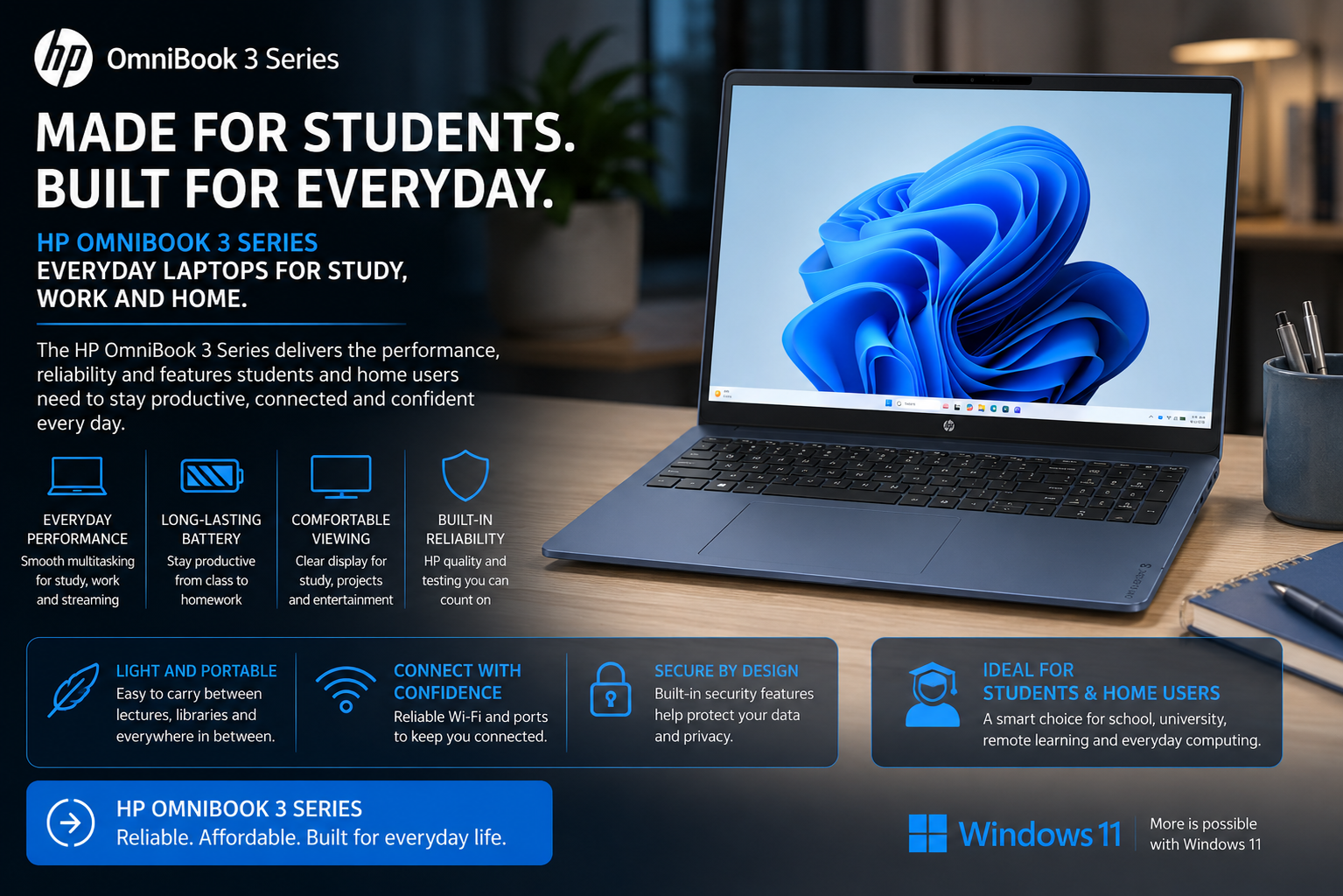
The HP OmniBook 3 Series sits at the entry end of HP’s current consumer laptop family. HP positions the range for students and home users who need a conventional Windows notebook for studying, office work, browsing and entertainment. The wider family covers screen sizes from 14 inches to 17.3 inches.
HP offers the OmniBook 3 platform with a broad selection of Intel, AMD and Qualcomm processors. The family can reach Intel Core Ultra 9, AMD Ryzen AI 7 and Snapdragon X hardware, while memory configurations go up to 32GB and storage reaches 1TB. Display options can extend to 2K OLED, although the exact specification depends heavily on the individual model and market.
South African buyers therefore need to pay close attention to the full model number rather than shopping by the OmniBook 3 name alone. HP’s local website currently lists configurations ranging from an 8GB Core 5 model with 256GB storage to a 16GB Core Ultra 7 system with a 512GB SSD.
TechnologyBlog.co.za has not tested the HP OmniBook 3 Series. This article therefore examines the verified specifications and current South African range rather than providing a performance review.
OmniBook 3 replaces HP’s older entry-level consumer naming
HP reorganised its consumer notebook range around the OmniBook name. The hierarchy now includes several levels, with the OmniBook 3 positioned as an everyday option beneath more capable OmniBook 5 and higher-tier models.
That positioning helps explain the wide range of hardware inside the family. Some OmniBook 3 machines use mainstream Core 3 or Core 5 processors, while others move into Core Ultra or Ryzen hardware. Buyers can therefore find substantial differences in performance even when two laptops share the same OmniBook 3 branding.
HP describes the series as best suited to home users and students. The company lists conventional clamshell designs rather than the 360-degree convertible formats available elsewhere in the OmniBook family.
South African models include 14-inch and 16-inch options
HP’s South African website currently lists several OmniBook 3 configurations. A 14-inch example is the OmniBook 3 14-hu0005ni, which uses an Intel Core 5 120U processor with 8GB of DDR5 memory and a 256GB PCIe 4.0 NVMe SSD.
That model uses a 14-inch 1920 × 1200 IPS display with a 16:10 aspect ratio. HP rates the screen at 300 nits and lists 62.5% sRGB coverage. The laptop weighs about 1.4kg, which makes it the more portable option for students or commuters.
South African buyers can also move to the larger OmniBook 3 16-bu0000ni. It combines an Intel Core Ultra 7 255U processor with 16GB of DDR5 memory and a 512GB SSD. HP pairs that hardware with a 16-inch 2K-class 16:10 display.
The larger screen provides more workspace for spreadsheets, documents and split-screen multitasking. The trade-off is greater size and weight compared with a 14-inch notebook.
Processor options span several performance levels
The OmniBook 3 family covers much more than one processor generation. HP’s South African listings currently include Intel Core 3, Core 5, Core 7 and Core Ultra 7 configurations. AMD Ryzen options also appear in the local range.
For example, the OmniBook 3 16-by0031ni uses an AMD Ryzen 7 160 processor with eight cores and 16 threads. HP pairs it with integrated Radeon graphics, 8GB of DDR5 memory and a 512GB SSD.
Another local model uses Intel’s Core Ultra 7 255U. That chip provides 12 cores and 14 threads with boost speeds up to 5.2GHz.
These differences make the exact processor more important than the series name. A basic Core 3 configuration targets lighter work, while a Core Ultra or Ryzen 7 model provides more headroom for multitasking and heavier applications.
Not every OmniBook 3 is a Copilot+ PC
HP’s broader OmniBook 3 family includes newer AI-oriented processors, but buyers should not assume that every model qualifies as a Copilot+ PC.
A conventional Intel Core 5 or Core 7 system can still offer strong everyday performance without meeting Microsoft’s Copilot+ hardware requirements. Even some Core Ultra processors include AI acceleration without necessarily reaching the NPU performance required for the Copilot+ category.
This distinction matters because the OmniBook 3 name covers both straightforward productivity notebooks and newer AI-focused configurations. Buyers who specifically want Copilot+ features should check the processor and Microsoft’s compatibility requirements for the exact SKU.
The same rule applies to Snapdragon and Ryzen AI variants. The processor family alone does not tell the complete story.
16:10 displays provide more vertical workspace
Many of HP’s newer OmniBook 3 models use a 16:10 display ratio rather than the older 16:9 format. The extra vertical space can make documents, websites and spreadsheets easier to work with because more content fits on the screen at once.
The 14-hu0005ni uses a 1920 × 1200 IPS panel with an anti-glare finish. HP also uses DC dimming to provide flicker-free brightness control on supported models.
The broader OmniBook 3 family can offer displays up to 2K OLED. However, HP does not use OLED across the entire range. Buyers should therefore confirm the exact panel technology before ordering.
This becomes particularly important when retailers list several visually similar OmniBook 3 configurations. Screen resolution, brightness and colour coverage can differ even when the chassis looks almost identical.
Memory and storage vary substantially
HP lists the broader OmniBook 3 family with up to 32GB of memory and 1TB of storage. Entry configurations can offer considerably less.
The South African 14-hu0005ni, for example, contains 8GB of DDR5 memory and a 256GB NVMe SSD. The Core Ultra 7-powered 16-bu0000ni doubles the memory to 16GB and increases storage to 512GB.
HP even lists selected 16-inch models with 128GB of UFS storage. That amount will suit only light users once Windows, applications and updates consume part of the available space.
For most buyers in 2026, 16GB of RAM provides a better long-term starting point than 8GB when the budget allows it. A 512GB SSD also gives users more room for applications, photographs and offline files.
Students using browser-based applications may manage comfortably with an 8GB and 256GB configuration. Users running development tools, creative applications or large spreadsheet workloads should consider more memory.
Integrated graphics keep the focus on everyday computing
The OmniBook 3 Series generally relies on graphics integrated into the processor rather than a dedicated gaming GPU. Intel-based models use integrated Intel graphics, while AMD versions can use Radeon graphics.
Integrated graphics reduce cost, power consumption and cooling requirements. They suit web browsing, office software, streaming video and lighter creative work.
However, the OmniBook 3 should not be confused with a gaming laptop. Buyers who regularly play demanding modern games or perform intensive 3D rendering will benefit from a notebook with dedicated graphics.
Casual games and older titles may still run adequately on stronger integrated graphics. Performance will depend on the specific processor, memory configuration and game settings.
The 14-inch model weighs about 1.4kg
Portability varies according to screen size. HP lists the South African 14-hu0005ni at 1.4kg and 14.8mm thick.
Those dimensions make the 14-inch OmniBook 3 a sensible option for students who carry a notebook between home, campus and classes. A smaller chassis also takes up less space on lecture-room desks.
The 16-inch range provides more screen space but adds size to a backpack. One South African 16-inch model weighs about 1.64kg, which remains reasonable for a large-screen productivity notebook.
Buyers should therefore choose screen size according to how often the laptop will travel. A 16-inch model makes more sense as a mostly stationary home machine, while the 14-inch version has the advantage for frequent commuting.
USB-C charging simplifies the 14-inch configuration
The South African OmniBook 3 14-hu0005ni includes two USB-C ports with 10Gbps signalling, DisplayPort 1.4 and USB Power Delivery 3.1. HP supplies a 45W USB-C GaN adapter with that model.
It also includes two USB-A ports, HDMI 1.4b and a combined headphone and microphone jack. This provides enough connectivity for common peripherals without requiring a hub immediately.
USB-C charging has a practical advantage for travellers. A compatible high-output USB-C charger can potentially power several modern devices, which reduces the number of proprietary adapters in a bag.
Port selections may differ between OmniBook 3 models. Buyers should therefore check the exact configuration instead of assuming every model matches the 14-hu0005ni.
Wi-Fi 6 and Bluetooth cover everyday connectivity
The 14-hu0005ni uses Wi-Fi 6 with a 2×2 wireless configuration and Bluetooth 5.4.
Wi-Fi 6 remains sufficient for most South African home fibre connections and campus networks. The standard also works with older Wi-Fi routers.
Some more expensive notebooks now offer Wi-Fi 7. That can provide faster local networking with compatible equipment, but it should not influence most everyday users more than processor, memory or display quality.
Internet performance will still depend on the fibre, fixed-LTE or mobile connection behind the Wi-Fi network.
A 1080p webcam suits study and remote work
HP equips the South African 14-hu0005ni with a 1080p Full HD webcam. The camera includes HDR auto switching, temporal noise reduction and dual-array digital microphones.
A physical privacy shutter lets users block the camera when they do not need it. HP also includes a microphone mute key and firmware TPM support.
These features suit online classes, Teams meetings and everyday video calls. TechnologyBlog.co.za has not tested the webcam or microphones, so their real-world image and audio quality remain unverified.
Users who spend several hours each day in professional video meetings may still benefit from a dedicated webcam and headset.
Battery capacity depends on the model
The 14-hu0005ni uses a 41Wh battery. HP rates this configuration for up to seven hours of battery life and supports fast charging to roughly 50% in 45 minutes.
The larger 16-bu0000ni carries a different configuration and has an official battery-life figure of up to seven hours and 45 minutes.
Another AMD-powered 16-inch South African model carries a rating of up to seven hours and 30 minutes. These differences show why one battery claim should not apply to the entire OmniBook 3 family.
Actual battery life will also vary with brightness, wireless activity, processor load and applications. TechnologyBlog.co.za has not independently tested these figures.
HP OmniBook 3 Series at a glance
| Feature | HP OmniBook 3 Series |
|---|---|
| Product category | Consumer laptop |
| Positioning | Everyday computing |
| Intended users | Home users and students |
| Screen sizes | 14 to 17.3 inches across the wider family |
| Display options | Up to 2K OLED |
| Processor options | Intel, AMD and Qualcomm |
| Maximum listed processor tier | Up to Intel Core Ultra 9 / AMD Ryzen AI 7 / Snapdragon X |
| Memory | Up to 32GB |
| Storage | Up to 1TB |
| Graphics | Primarily integrated |
| Operating system | Windows 11 on current South African models |
| South African 14-inch example | Core 5 120U, 8GB RAM, 256GB SSD |
| South African 16-inch example | Core Ultra 7 255U, 16GB RAM, 512GB SSD |
| USB-C | Available on current configurations |
| Wi-Fi | Wi-Fi 6 on the 14-hu0005ni |
| Webcam | Up to 1080p on current local examples |
| Target market | Students, households and general productivity users |
The series-level specifications reflect HP’s current OmniBook range. Individual South African models can differ significantly, so buyers should verify the complete product number before purchasing.
Which OmniBook 3 configuration makes sense?
Students using Microsoft 365, browser-based learning platforms and video calls may find an 8GB model sufficient. A 14-inch chassis also makes sense when the laptop travels between classes regularly.
A 16GB configuration provides more breathing room for heavier multitasking. It should suit users who keep many browser tabs open or run several applications throughout the day.
Storage deserves similar attention. A 128GB model can become restrictive quickly, while 256GB provides a more practical minimum for general use. A 512GB SSD offers a better balance for users who store photographs, offline media or larger applications.
Processor choice should follow the workload. Buyers do not need a Core Ultra 7 for basic browsing and assignments, while users planning to keep the laptop for several years may value the extra performance.
OmniBook 3 versus OmniBook 5
The OmniBook 3 sits below the OmniBook 5 Series in HP’s consumer range. HP positions the OmniBook 3 mainly for home users and students, while the OmniBook 5 also targets professionals and small-business owners.
OmniBook 5 models can offer more premium hardware. HP lists display options up to 3K OLED and processor options up to AMD Ryzen AI 9, Intel Core Ultra 9 and Snapdragon X2 Elite.
That does not automatically make an OmniBook 5 the better purchase. A well-configured OmniBook 3 can provide more useful memory or storage than a lower-spec OmniBook 5 at a similar price.
Buyers should compare exact specifications rather than choosing only according to the number in the product name.
Who should consider the HP OmniBook 3 Series?
The OmniBook 3 Series makes the strongest case for students, families and home users who need a straightforward Windows laptop. Its broad configuration range lets buyers prioritise price, portability or performance.
The 14-inch models suit users who move around frequently. Larger 16-inch and 17.3-inch versions provide more screen space for home use and productivity.
The range becomes less suitable when demanding gaming or professional GPU workloads form part of the purchase. Integrated graphics remain the norm, so a dedicated gaming or workstation notebook will handle those tasks better.
Buyers should also avoid treating the OmniBook 3 name as one fixed specification. HP uses it across many processors, memory capacities, storage sizes and screens.
South African pricing and availability
HP currently lists several OmniBook 3 models on its South African website, including 14-inch and 16-inch Intel and AMD configurations. Local product pages also provide links to HP’s sales and reseller channels.
HP does not publish one South African price for the OmniBook 3 Series because the family covers many configurations. Retail pricing will depend on the exact processor, memory, storage and screen fitted to each model.
South African buyers should therefore search using the complete product number. Two laptops called “HP OmniBook 3” may differ significantly in processor performance, RAM, SSD capacity and display quality.
The OmniBook 3 Series gives HP a broad everyday laptop range rather than a single tightly defined machine. That flexibility can work in the buyer’s favour, but it also makes careful specification checking essential. For students and home users, the strongest configurations are likely to be those that balance at least 16GB of memory, practical SSD capacity and a screen size suited to how often the laptop needs to travel.